

It is 3:20 p.m. The carrier leaves at four, two orders are missing a carton, and a customer is asking for a tracking number for an order that still sits on the packing bench. A single status column can make all three problems look the same. The dispatch lead needs to know what can go out, what has already been handed over, and what needs a decision.
These order fulfillment tracker Excel templates cover five points in that process: dispatch, picking and packing, carrier handoff, split shipments, and exception follow-up. You can use one workbook on its own or give each team the view it actually needs. Every download has a preview and a small fictional example so you can see how the inputs and calculations fit together.
Jump to a template preview
Fulfillment backlog calculator
Check ending open orders and the time required to clear them at your net daily processing rate.
Worked example: Opening orders: 45; New orders in period: 120; Completed orders in period: 100; Expected new orders per day: 20; Expected completions per day: 30 → Ending backlog: 65; Days to clear: 7.
This estimate assumes steady volumes. Use the tracker to separate held orders and expedited orders.
Related template: 5 Ecommerce Profit Calculator Excel Templates
Follow the order through a busy afternoon
Start with one order ID that travels from the sales record through the packing list and carrier handoff. Where an order has several products, use an order and SKU combination for quantity-level work. Where it has several parcels, use one shipment identifier for each parcel. Keeping those different identifiers straight makes it possible to connect a customer question to the exact parcel or item involved.
At the beginning of a shift, review what is due to ship. On the packing bench, check the count by item. When the carrier collects, record the actual handoff. If anything does not follow the normal path, assign it to an owner with a due date. A spreadsheet cannot scan your stock or read carrier updates on its own, so make the data entry part of the normal handoff rather than a task someone remembers at the end of the week.
Dispatch Queue: What Has to Leave Today?
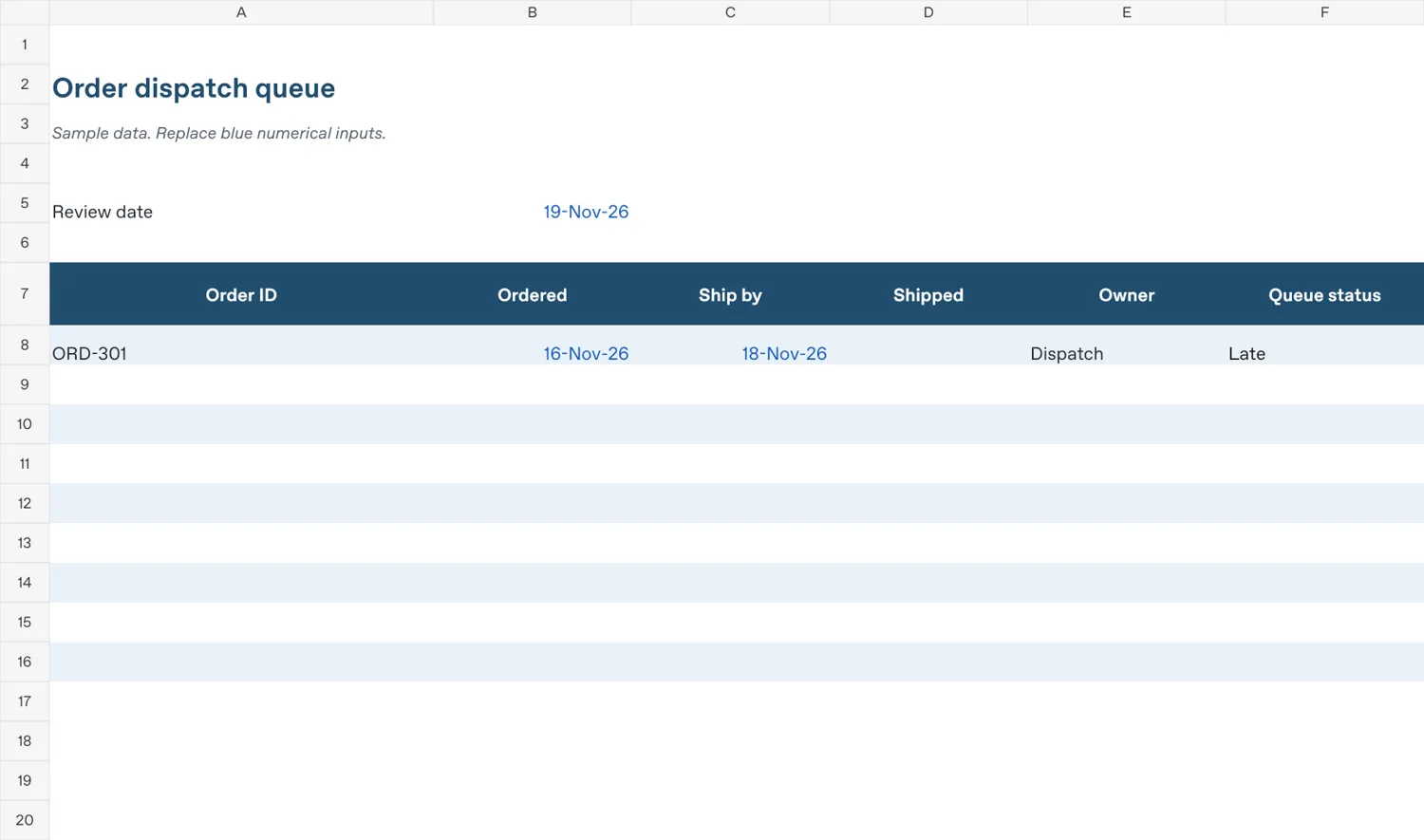
The blue queue tracks the order date, ship-by date, actual shipped date, and owner. It labels a row Shipped when an actual shipped date is entered. Unshipped rows past the review date are Late; those with no ship-by date need a deadline. A row due on the review date is still Open in this daily comparison, so look at the ship-by column before your carrier cutoff.
Agree on what qualifies as shipped. Printing a label and handing a parcel to the carrier are separate events. If the promised milestone is handoff, only enter an actual date once that happens. A shift lead can sort the remaining open orders by the deadline and use the owner column to ask the right person about a delay.
Save a dated copy when you need a record of the queue at a particular moment. The review date is a field you control, which makes it possible to recreate a previous check or prepare tomorrow’s list. It does not calculate hours until pickup. If commitments vary by hour, add a separate cutoff field and make the time zone explicit.
Pick and Pack Checklist: Catch the Quantity Gap
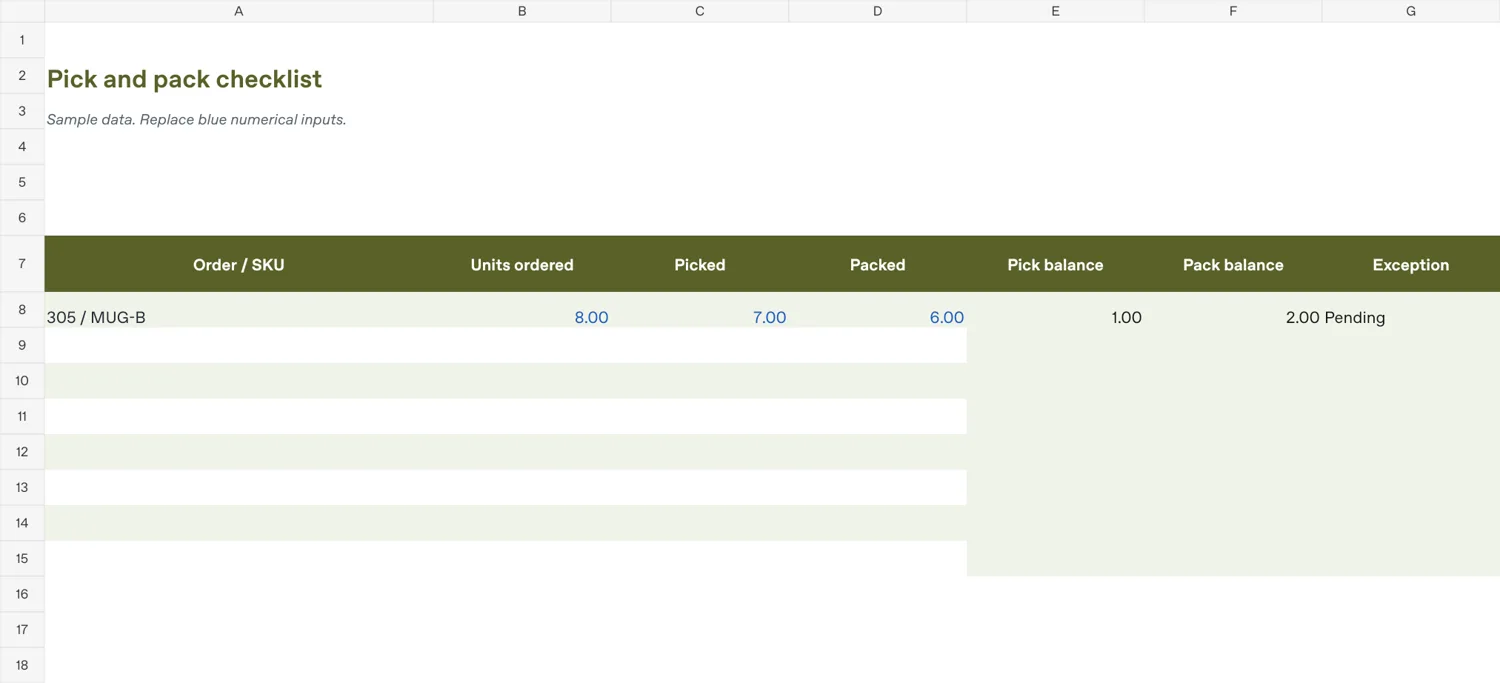
The olive checklist compares the ordered, picked, and packed units on each line. An order for eight units with seven picked and six packed has one still to pick and two still to pack. It remains Pending. If the packed amount exceeds the picked amount, the row asks you to check the counts. The difference is more useful than a blanket checkmark when an order has several units.
Use one row per product within the order so a shortage of one item does not disappear behind excess stock of another. If a colleague substitutes an item, record the approved change in the source order before treating the line as complete. For stock questions, keep a separate inventory spreadsheet so the team can investigate whether the shortage is physical or only a record discrepancy.
The checker is for quantities. A Ready result does not establish that the address, packaging, or shipping service is correct. Add those checks to the packing procedure if they matter to your orders. Keep any personally identifying customer details out of a shared pick list when the packer only needs the order reference and product information.
Carrier Handoff Log: Find the Parcel
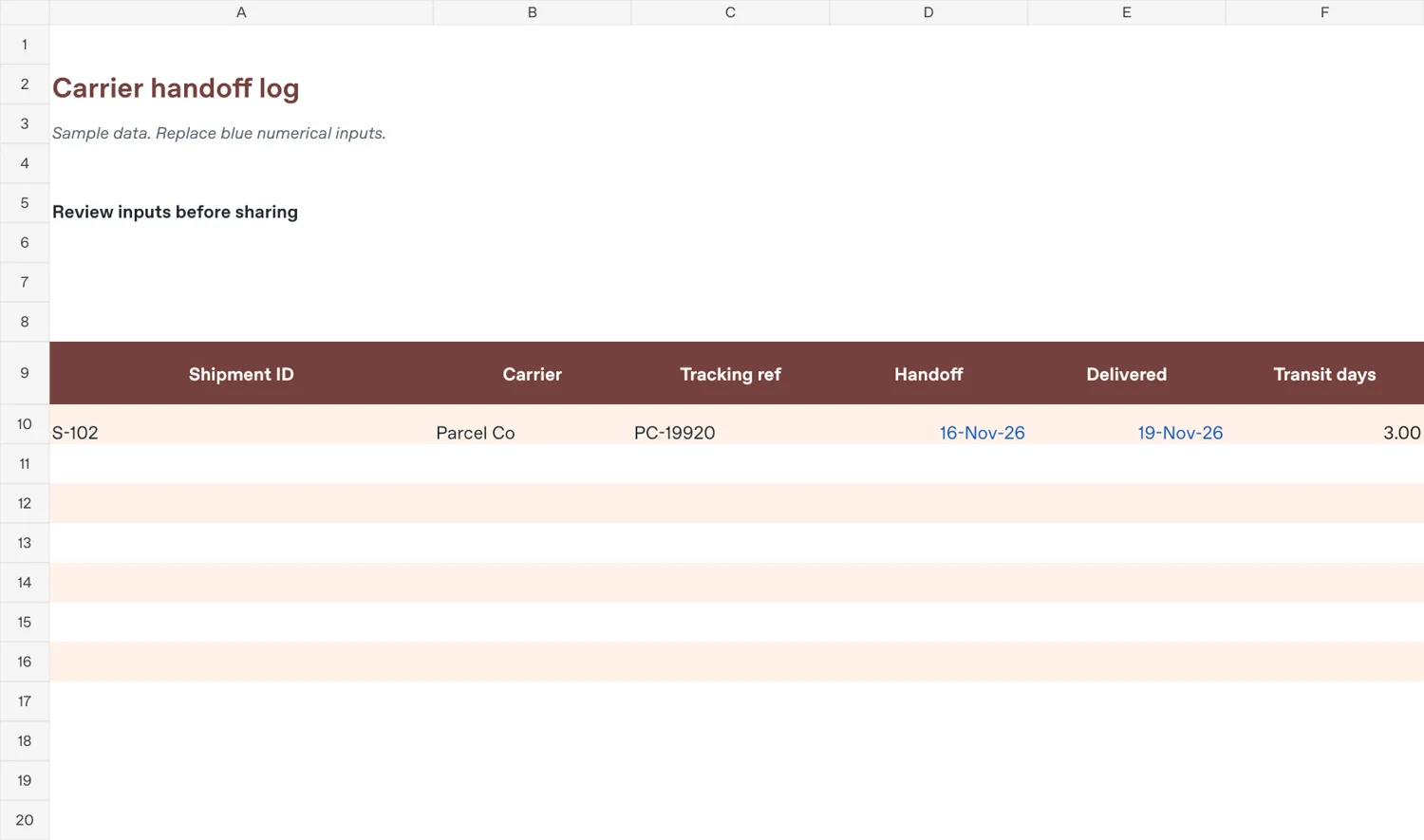
The brick handoff log records each shipment, carrier, tracking reference, handoff date, and delivery date. A transit-day calculation appears when both dates are present. A parcel handed over on Monday and delivered on Thursday took three calendar days on this measure. It is separate from order-to-ship time and from the delivery promise shown to the customer.
One order might produce multiple tracking numbers. Use a separate shipment row for each parcel and retain the source order reference in your records. Store tracking references as text if they contain leading zeros or long identifiers. When correcting a number, check the carrier manifest so you do not attach another customer’s tracking record to the order.
For bulk or freight shipments, a supporting bill of lading can provide additional handoff detail. This worksheet is a summary and does not replace the carrier’s receipt. When investigating a missing parcel, compare the spreadsheet entry with the first carrier scan and the signed or electronic handoff record.
Split Shipment Tracker: Count What Is Still Owed
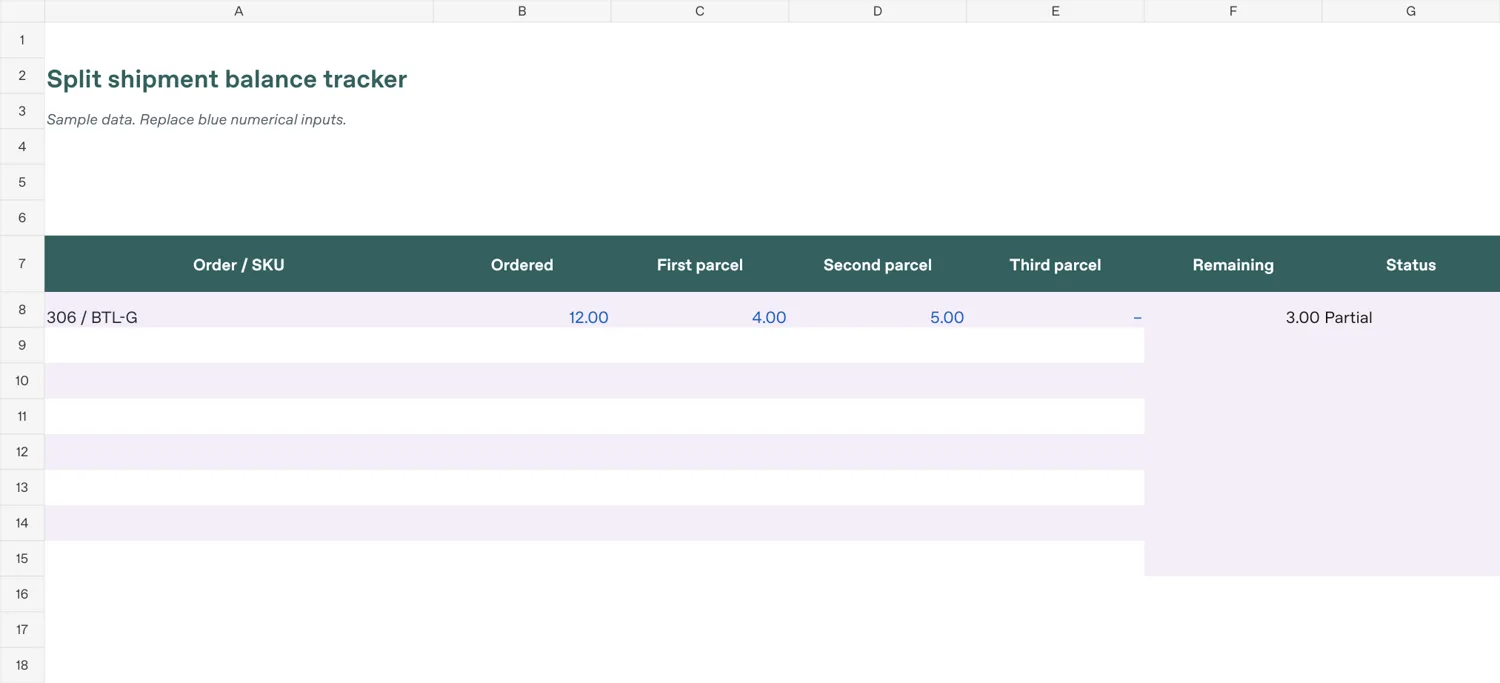
The teal split sheet compares the ordered quantity with up to three parcel quantities. An order for twelve units with four in the first parcel and five in the second has three still outstanding. Enter three in the third parcel column and the line becomes Complete. If the parcel total exceeds the order quantity, the worksheet flags it for review.
Define whether the parcel columns represent packed or dispatched quantities. If you use them for dispatched quantities, do not count goods that are still on the shelf. Keep a link between each parcel and its tracking record so a customer service colleague can explain which items are in transit and which are still due. Where four or more parcels are common, extend the formulas or use a shipment ledger rather than overwriting a previous parcel.
A cancelled balance needs a separate decision. If the customer no longer wants the remaining units, confirm the cancellation in the order record and note why the expected quantity changed. A formula showing zero remaining does not establish that a refund, cancellation, or replacement was processed correctly.
Exception Desk: Give Unusual Orders an Owner
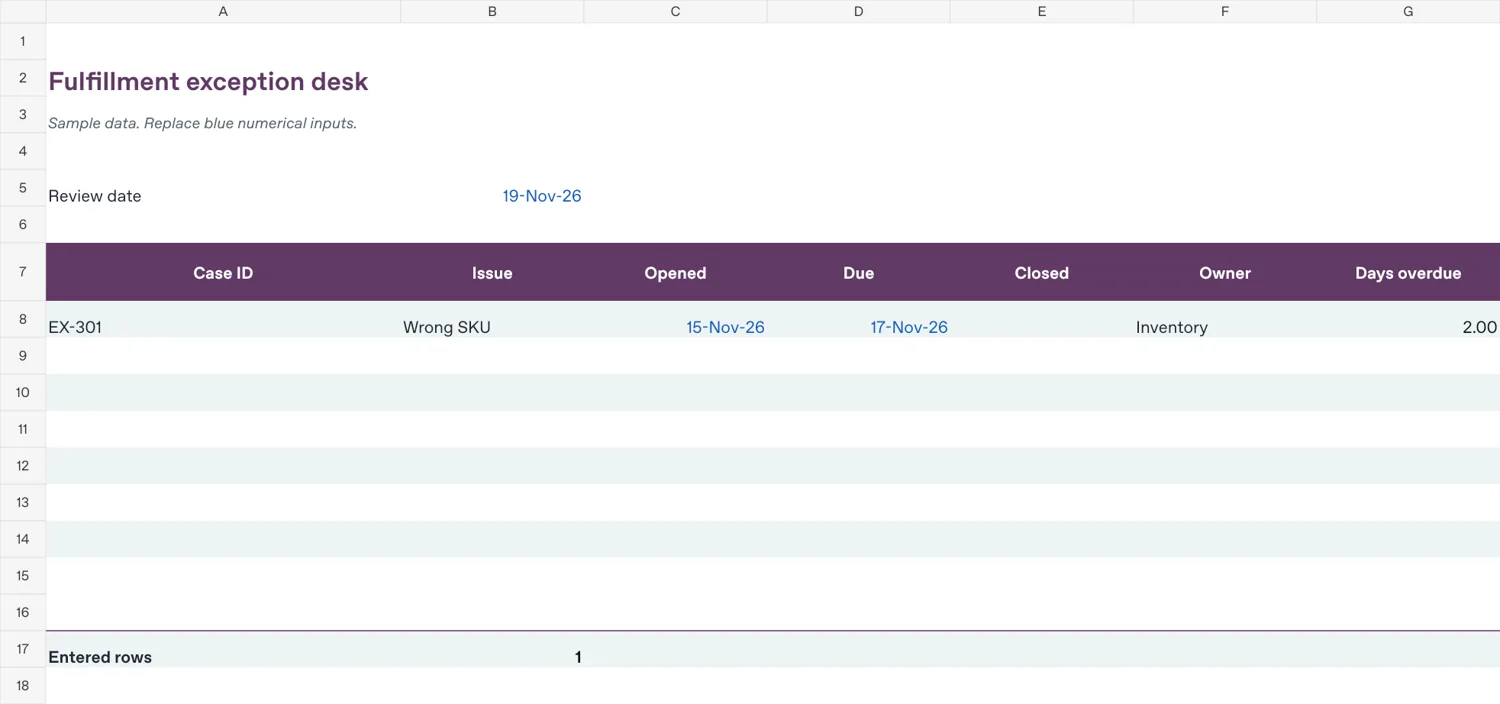
The plum exception tracker gives each case an issue, opening date, due date, closure date, and owner. It shows calendar days overdue using the review date for open items and the closure date for resolved ones. A case closed after its due date keeps a record of the delay. That helps you distinguish a clear queue from a consistently slow response.
Write each issue in a way the next shift can act on. “Wrong SKU on order 301, confirm replacement stock” is more useful than “problem.” Assign the decision to a person or team that can move it forward. If the case depends on a customer reply or carrier investigation, keep that context in a supporting note or ticket.
During a weekly review, look for repeated exceptions rather than just the oldest case. If several orders have the wrong color label, inspect shelf labels and picking instructions. If a carrier regularly misses a pickup, review the handoff time and escalation path. The log makes a recurring pattern visible, but your source records explain the cause.
Close the day with three checks
Reconcile the dispatched orders against the carrier handoff record. Review open order lines against what is still physically waiting at the bench. Finally, hand off unresolved cases with an owner and next step. For a supplier shortage that blocks an order, link the expected restock to your purchase order records rather than copying an unconfirmed date into a customer promise.
Keep the tracker as small as your workflow allows. Too many manual statuses invite people to stop updating them. The supplied files deliberately separate the jobs so you can choose the columns that a particular team will maintain. If you combine them, identify which system owns each date and avoid having two worksheets that disagree about the same shipment.
Frequently Asked Questions
Should I track one row per order or one row per item?
Use one row per order for a dispatch overview, one per order and product for item counts, and one per parcel for tracking numbers. The right unit depends on what you want to explain. Keep an order reference in the underlying records so a person can connect the views.
Does the tracker update from a shopping platform automatically?
No. Enter records directly or bring in an export with the columns mapped carefully. Dates must be recognized by Excel as dates for the formulas to work. Test an open and a completed row after importing before replacing a working tracker.
What should I do with duplicate orders?
Check the source ID, item, and parcel before removing a row. Repeated order IDs can be valid when an order contains several items or shipments. A true duplicate is a second entry for the same record at the same level of detail. Keep legitimate splits visible.

