
A supplier list template keeps vendor identities, contact details, and purchasing information in one directory. It helps staff find the correct supplier without confusing contact records with order tracking.
Choose fields for supplier ID, name, category, contact person, communication details, and review status. Keep purchasing terms current and restrict sensitive banking information.
Template previews and downloads
Sample Supplier List
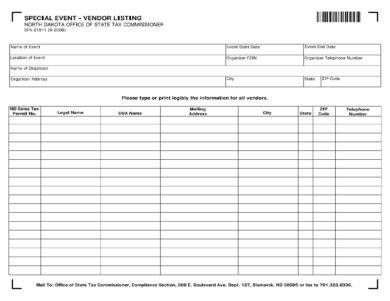

How to use the supplier list template
Step 1. Create a unique record for each supplier. Compare shortlisted products and vendors using product comparison templates.
Step 2. Verify contact information and note the products or services supplied. Track goods received in stock management templates.
Step 3. Review duplicates and outdated entries before relying on the directory.
Keep stable vendor details separate from changing purchase records. A supplier directory can identify categories supplied, account contacts, and a review date. Orders and deliveries need their own references so a change to a phone number does not alter the history of a purchase.
Assign responsibility for maintaining the list and periodically check inactive or duplicate suppliers. Be especially careful with payment-detail changes: use an independently established verification process rather than trusting a new message solely because it contains a familiar supplier name.
Example and checks
A stationery supplier and its two sales contacts can share a supplier ID while keeping separate contact details. Purchase orders should carry their own references.
A directory alone cannot prove supplier reliability or resolve every delivery dispute. Keep orders, invoices, and delivery evidence separately. Record purchasing costs with expense trackers.
Frequently asked questions
Is a supplier list the same as a purchase log?
No. The directory describes vendors; the purchase log records individual transactions.
How should bank-detail changes be handled?
Verify changes through an established trusted process before updating payment records.

You must be logged in to post a comment.