
At the end of a busy site day, the important details rarely arrive in one neat package. A supervisor remembers the late delivery, a foreman has the crew hours, and the equipment operator knows why the excavator stopped. By the following morning, those accounts may already be harder to reconcile.
A construction daily report gives the team a consistent place to record what happened while the facts are still fresh. These five free Excel templates cover daily progress, crew hours, equipment use, delays, and weekly production. Each file is editable and includes formulas, a fictional example, and a preview. The layouts vary so you can select a useful field record rather than force every site activity into the same form.
Use one workbook or a small combination that fits the project. A short extension job may need a daily diary and crew record. A plant-heavy project may benefit more from the equipment and delay logs. The goal is a record someone else can understand without relying on the author’s memory.
Jump to a template preview
Daily production variance calculator
Compare planned and completed work for one activity using the same measurement unit.
Worked example: Planned quantity: 85; Completed quantity: 72 → Quantity variance: -13; Plan achieved: 84.71%.
Record the reason and evidence for a material variance in the daily diary.
Related template: 5 Free Construction Change Order Excel Templates
What a useful daily report should establish
Every report needs a clear project, date, and work location. Add the person preparing it and the supervisor responsible for review in your project copy. Use specific work descriptions such as “ground-floor blockwork, east elevation” instead of broad labels such as “general works.”
Record quantities with their units. Seventy-two square metres, seventy-two metres, and seventy-two individual items describe very different achievements. When a work package changes measurement basis, explain the change before comparing it with earlier reports.
Separate observed facts from interpretation. “Concrete truck arrived at 11:20” is an observation. “Supplier caused the entire afternoon delay” is a conclusion that may need more evidence. Keep delivery references, instructions, photos, and correspondence with the report so reviewers can follow the sequence.
Template 1: Site daily progress diary
Download Site daily progress diary (.xlsx)
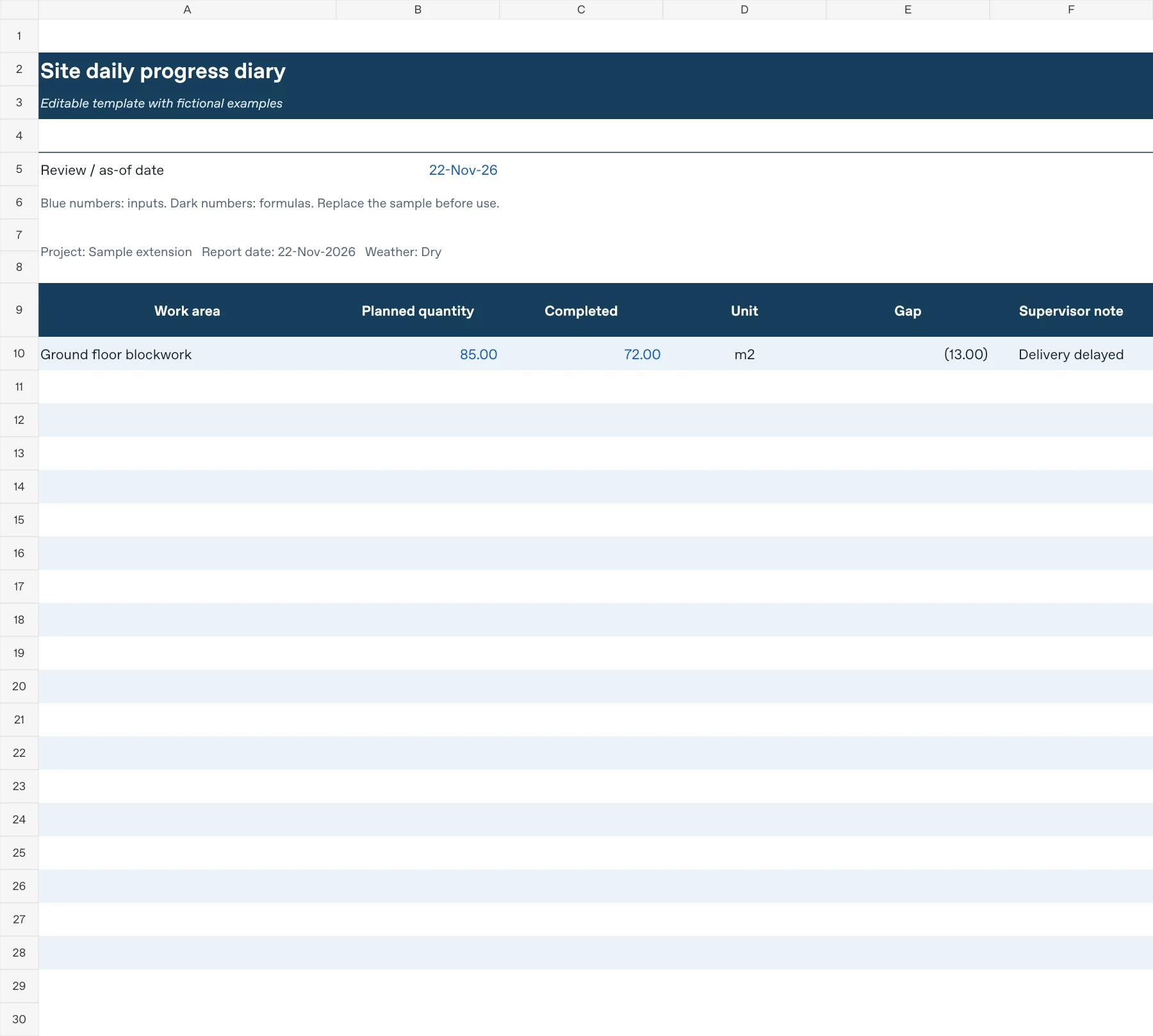
The navy diary places planned quantity and completed quantity beside the work area, measurement unit, calculated gap, and supervisor note. Its alternating lines make it suitable for several activities within the same daily report.
The fictional example records 85 square metres planned and 72 completed, producing a gap of minus 13. The note identifies a delivery delay. That combination is more useful than either a quantity or a narrative on its own: it shows the size of the difference and gives the reviewer a starting point for investigation.
Replace the project and weather wording in the note area with the day’s details. Use one row per work area or measurable activity. Avoid adding unrelated units into a single production total. The diary calculates each row’s gap; it does not decide whether the underlying plan was realistic or whether the work passed inspection.
Template 2: Daily crew and trade report
Download Daily crew and trade report (.xlsx)
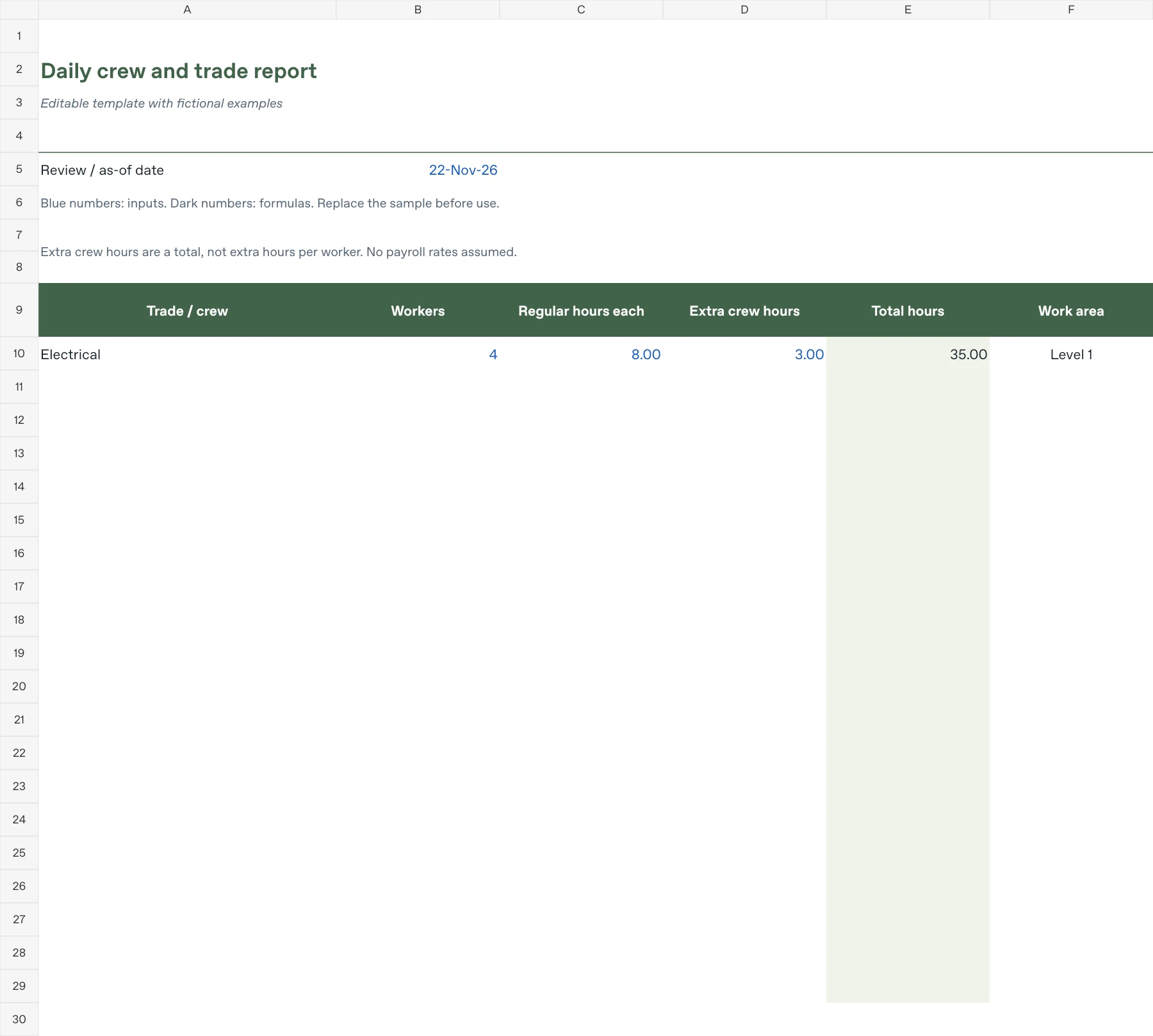
The sage crew report is built around labour effort. Enter the trade or crew, worker count, regular hours per worker, additional crew hours, and work area. The result column calculates total hours, allowing a supervisor to check whether the reported effort matches attendance and site activity.
Four workers at eight regular hours each contribute 32 hours. If the whole crew records three additional hours in total, the sheet reports 35. The extra-hours field is a crew total, not three additional hours for every worker. This definition is printed in the workbook because confusing the two would materially overstate labour.
Use separate rows when crews worked different durations or locations. For individual time approvals, connect the daily report to your monthly timesheet records. This workbook records hours; it does not calculate wages, overtime eligibility, or payroll rates.
Template 3: Equipment use and downtime
Download Equipment use and downtime (.xlsx)
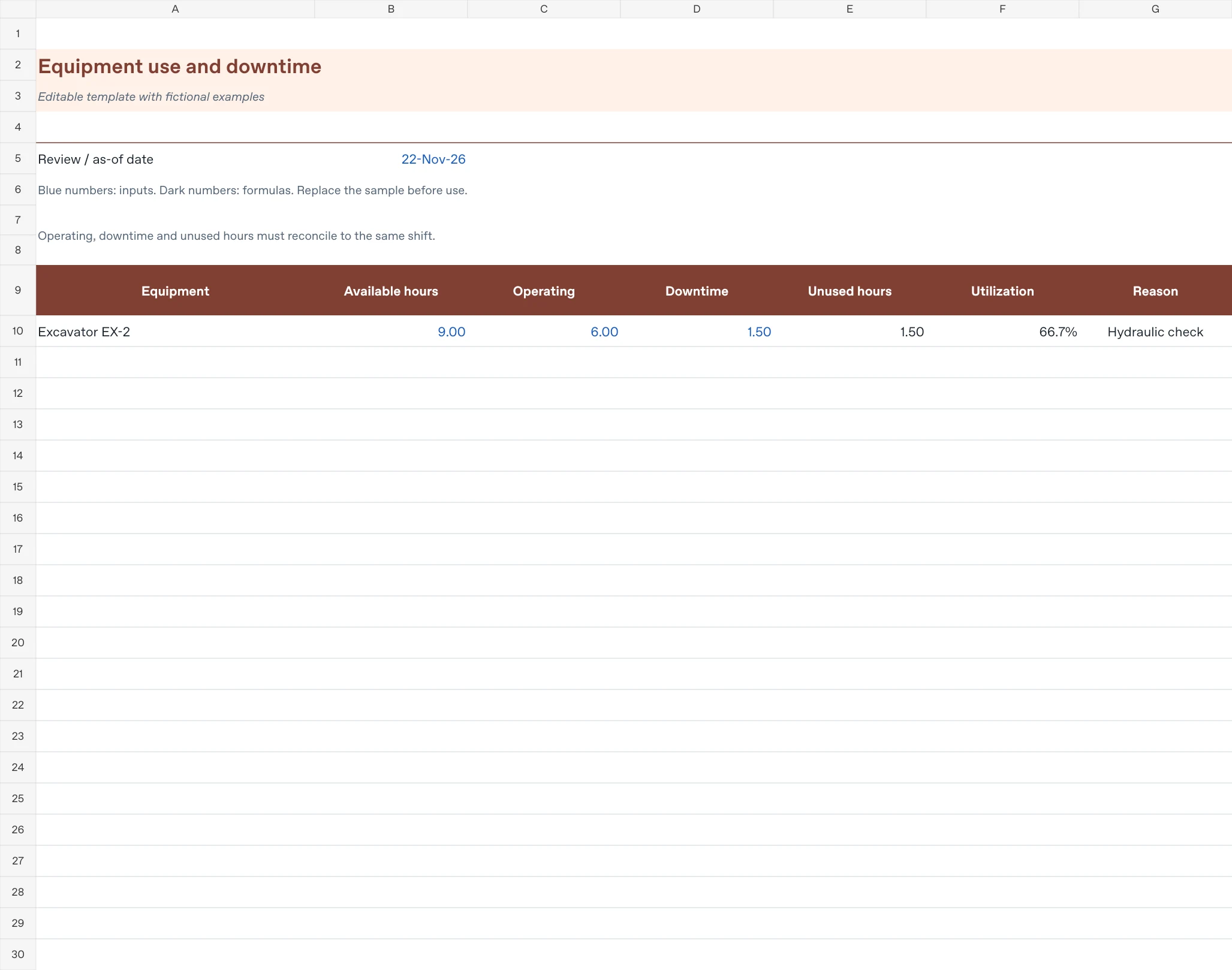
The terracotta equipment log compares available, operating, and downtime hours. It calculates unused time and operating utilisation for each machine, with a reason field for the day’s main interruption. The ruled design keeps the equipment record visually distinct from the crew sheet.
The sample excavator has nine available hours, six operating hours, and one and a half downtime hours. The remaining one and a half hours are unused. Operating utilisation is approximately 66.7% of the available period.
Define the categories before staff begin entering data. Waiting for an operator, undergoing repair, and standing by for another trade may need different descriptions. The same hour should not appear in both operating time and downtime. If the calculated unused time is negative, investigate overlapping entries or an incorrect available period before reporting the result.
Template 4: Site delay and instruction log
Download Site delay and instruction log (.xlsx)
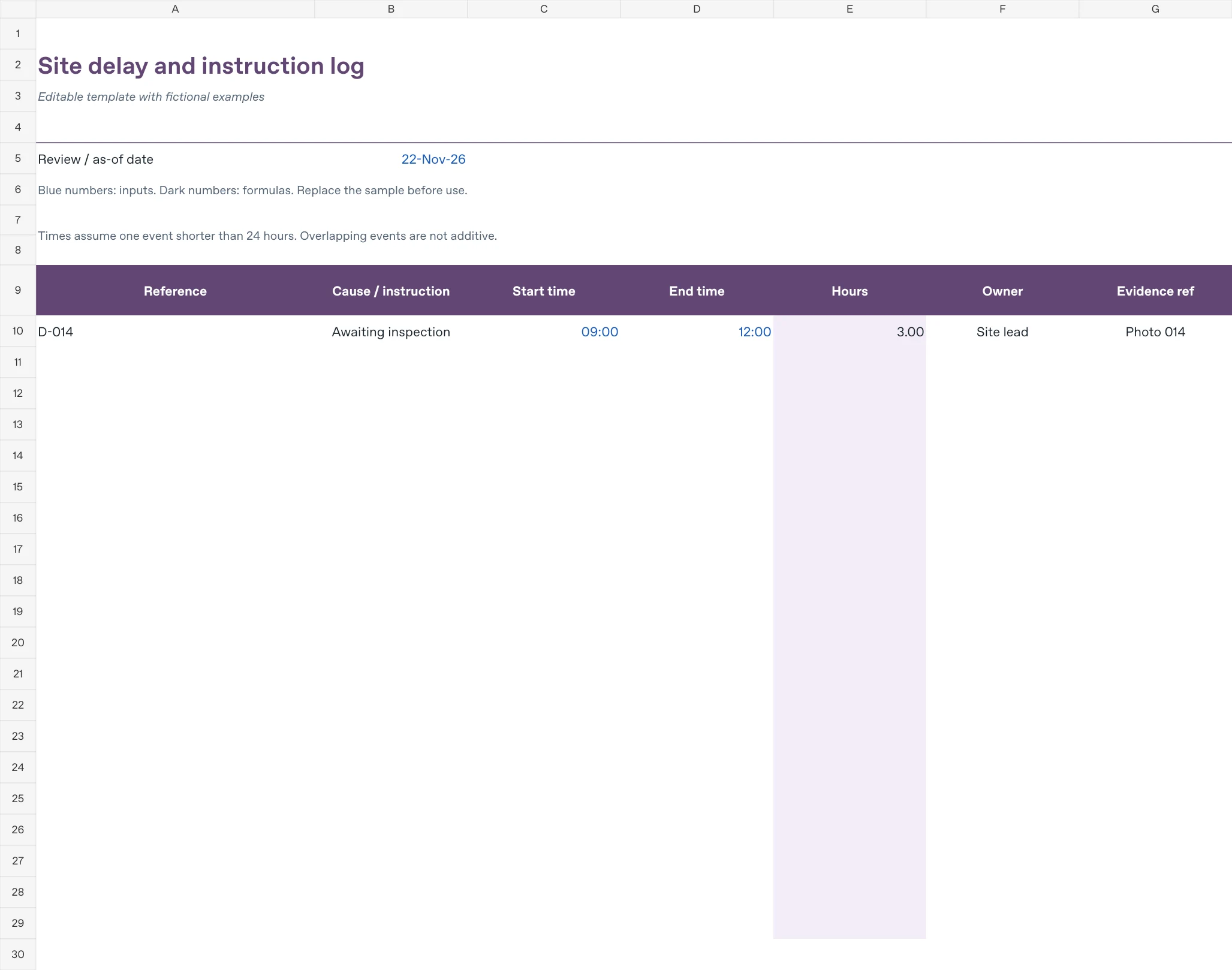
The plum log records a reference, cause or instruction, start time, end time, owner, and evidence reference. The calculated hours make a short incident easier to review, while the evidence field points to the relevant photo, delivery record, or instruction.
An event from 09:00 to 12:00 produces three hours. The formula also handles a single event crossing midnight, provided its duration is less than 24 hours. Multi-day events should be split into dated entries or recorded in a more detailed delay schedule with full date and time values.
Do not add overlapping delay durations and assume the sum equals the project’s total lost time. Two events can affect the same crew during the same interval. This file documents observations; it does not determine contractual responsibility, entitlement, or the effect on the project’s critical path.
Template 5: Weekly site progress summary
Download Weekly site progress summary (.xlsx)
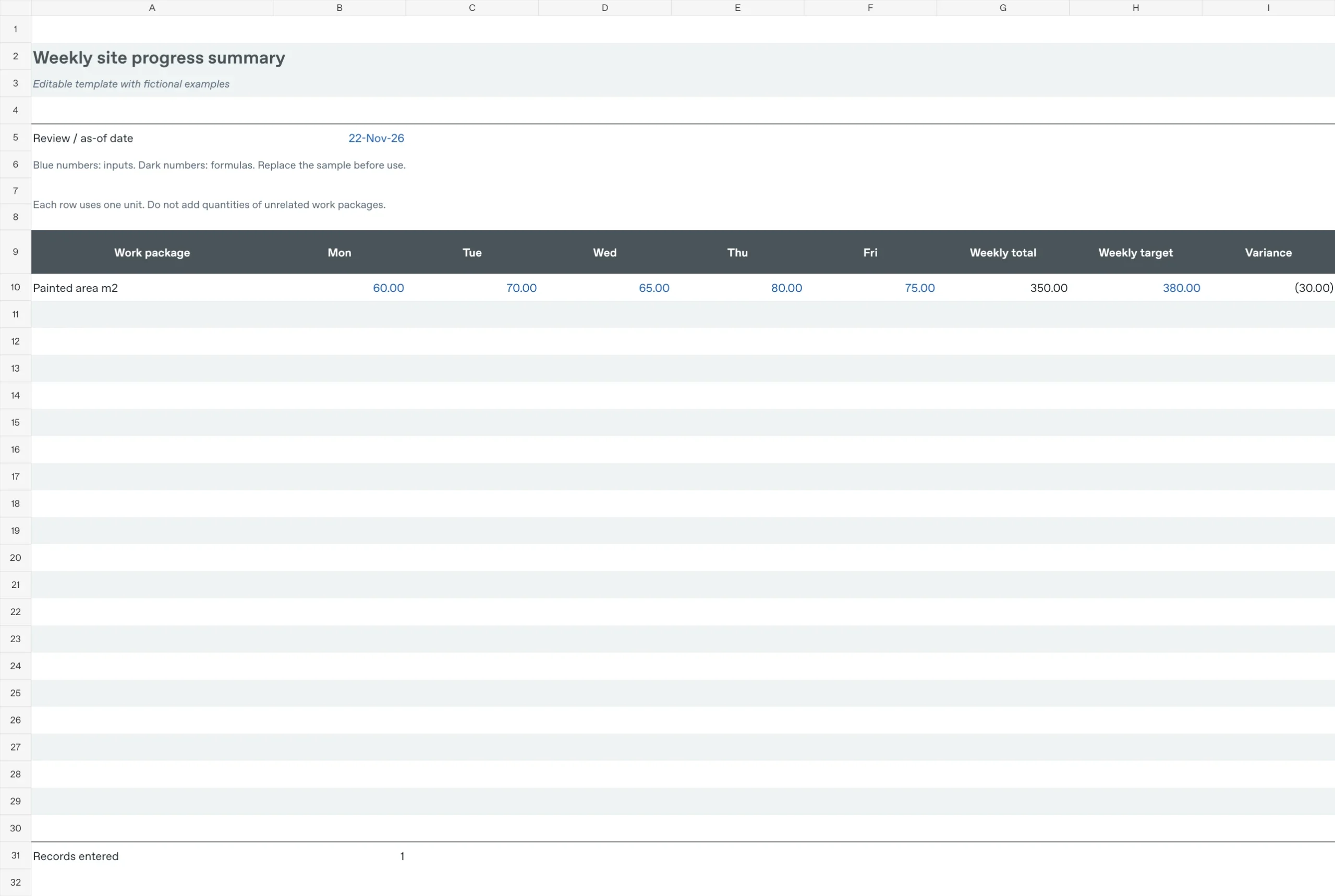
The graphite summary brings Monday-to-Friday production into one row for each work package. It totals the daily quantities, compares the result with the weekly target, and leaves the underlying daily records available for explanation.
The example records 60, 70, 65, 80, and 75 square metres across the week. Total output is 350 against a target of 380, leaving a shortfall of 30. That comparison can guide the next planning discussion without requiring every daily diary to be read aloud.
Keep each row on one measurement basis. Do not add square metres of painting to metres of pipework and call the result total output. The summary is most useful when the work package, unit, target, and completion definition remain consistent throughout the reporting period.
A realistic end-of-day workflow
Begin with the day’s planned work. Confirm which areas were available, which instructions changed the scope, and whether the planned quantities still describe the work actually attempted. Preserve the original plan when changes need explanation rather than overwriting it to match the result.
Collect actual quantities from the responsible foreman or supervisor. Distinguish completed work from materials delivered to site and from work awaiting inspection. A delivery quantity is not automatically an installed quantity, and an installed quantity may still need acceptance before it counts as completed under the project’s reporting rules.
Next, reconcile crew and equipment records. If a diary reports no work in an area but several crew hours were charged there, identify the reason. Preparation, access restrictions, rework, or an incorrect location code may explain the difference. The report should preserve that explanation while it is easy to confirm.
Add references for material events. A short photo filename, drawing revision, delivery ticket, or instruction number is enough to connect the narrative with supporting evidence. Store those records in the agreed project location and use consistent references across the daily report and related correspondence.
Finish with a supervisor review and a dated saved copy. Agree who may make corrections after review and how those corrections are identified. A clear revision process is more useful than a folder full of files called “final,” “final new,” and “final latest.”
Make the report useful in tomorrow’s briefing
A daily report becomes more valuable when it changes the next day’s conversation. Pull out unresolved constraints, identify who owns each action, and confirm what must happen before the affected crew can proceed. Keep the action specific enough that its completion can be checked.
For instance, “material issue” is vague. “Confirm the missing lintel delivery before assigning the east-elevation crew” gives the team a decision and a dependency. The quantity gap remains in the diary, while the next action can be included in a daily work schedule.
Use the construction estimate templates when reviewing the original quantity and cost assumptions. Actual site production can inform a later estimate review, but avoid mixing a daily operational report with an unapproved change to the project’s commercial baseline.
Customising the Excel files
Download the workbook whose preview matches your main reporting need. Save a master copy, replace the fictional example, and enter the reporting date. Blue numeric values identify inputs, while dark numeric values show calculated results. Keep the formulas when clearing sample rows.
Each table provides twenty working rows. Copy an entire prepared row to extend the log, then test the first added calculation. If you introduce new fields such as subcontractor, drawing reference, or reviewer, keep them beside the related activity so a sorted record remains understandable.
For printing, set the page orientation and scaling after adding the project details. A wide weekly production table will usually suit landscape orientation. Check the preview before sharing and avoid shrinking the text so far that a site team cannot read the quantities comfortably.
Frequently asked questions
Can these templates replace a project-specific daily report form?
They can provide a starting structure. Compare them with the client’s or contractor’s required fields before adoption. Add missing identifiers, sign-offs, weather details, and references needed for your project. Do not remove required reporting information merely to keep the page short.
Should I use one file for the whole project?
Choose a naming and filing approach that suits the review process. A dated daily copy is straightforward for preserving each day’s record. A continuing log can work if dates, references, and revision controls remain clear. Avoid multiple uncontrolled working versions maintained by different people.
Does the equipment utilisation figure measure productivity?
It measures operating time divided by available time as entered. A machine can operate for many hours while producing little useful output. Review the utilisation alongside completed quantities and site conditions rather than treating the percentage as a complete productivity measure.
Which workbook is the best first download?
Start with the daily progress diary. Add the crew report when labour reconciliation matters, the equipment log when plant is significant, and the delay log when incidents need a clear timeline. Use the weekly summary after the daily quantities have become consistent enough to compare.

You must be logged in to post a comment.