
A product comparison template puts competing options against the same criteria. It helps you identify tradeoffs rather than choosing only by the lowest headline price.
Choose criteria that matter to the purchase, such as capacity, compatibility, warranty, delivery, and total cost. Use weights only when you can explain why one factor matters more.
Template previews and downloads
Product Comparison Example
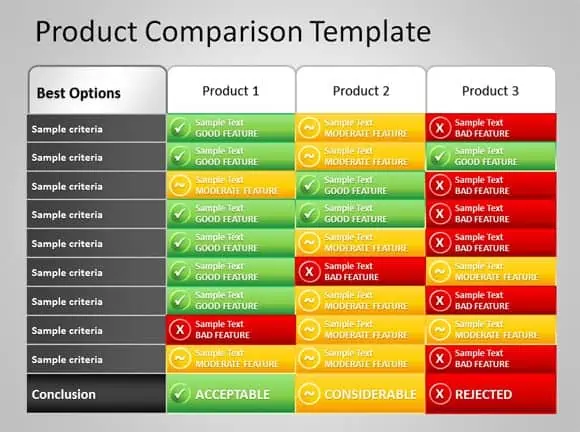

Product Price Comparison Sheet
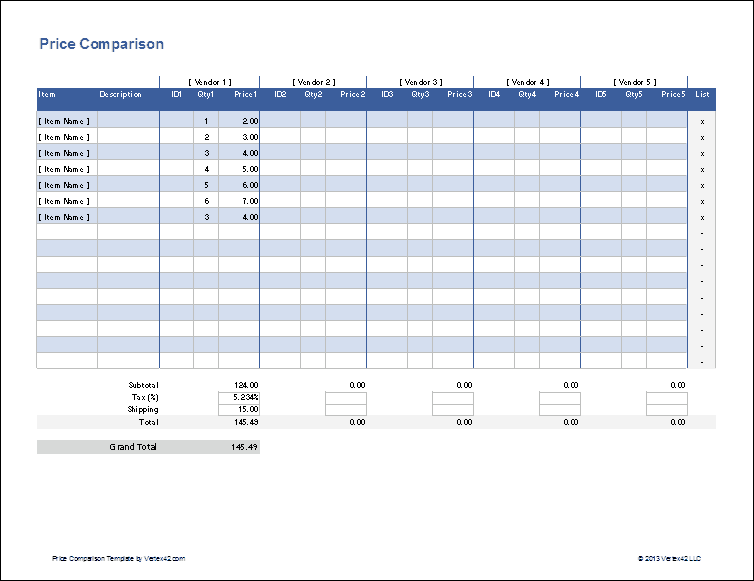
Product Feature Comparison Worksheet
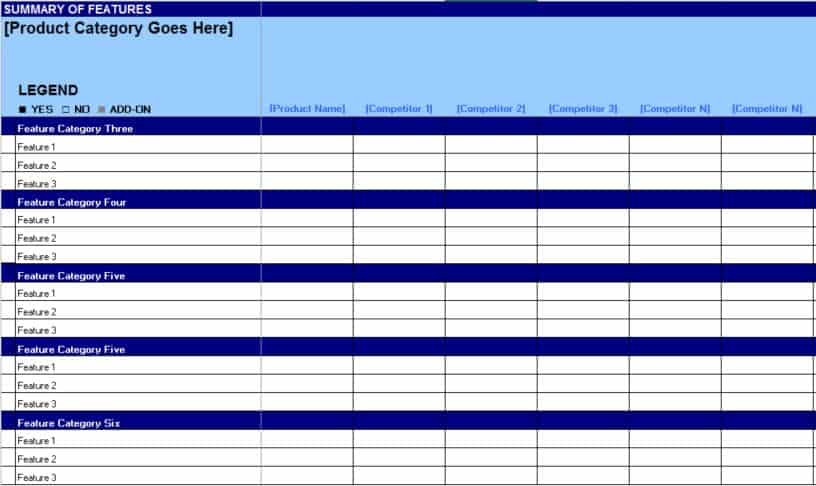
Detailed Product Comparison Chart Example
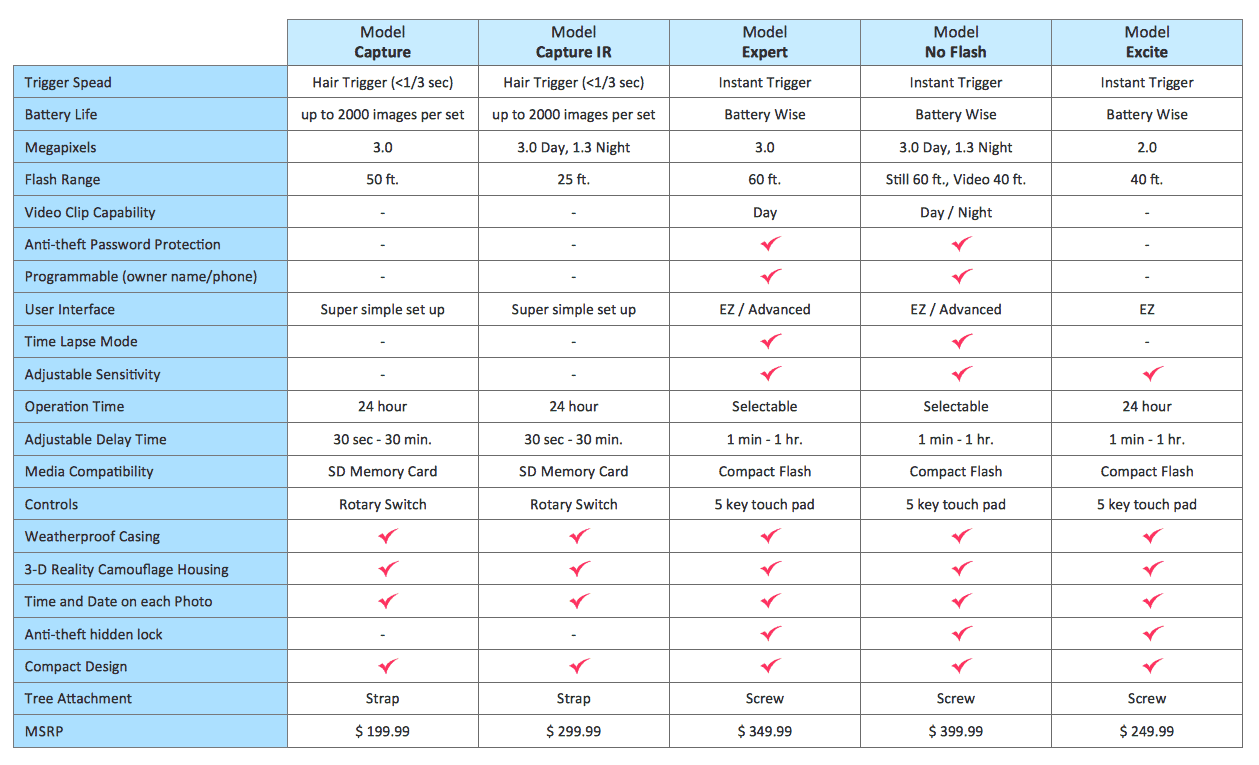
Comprehensive Product Comparison
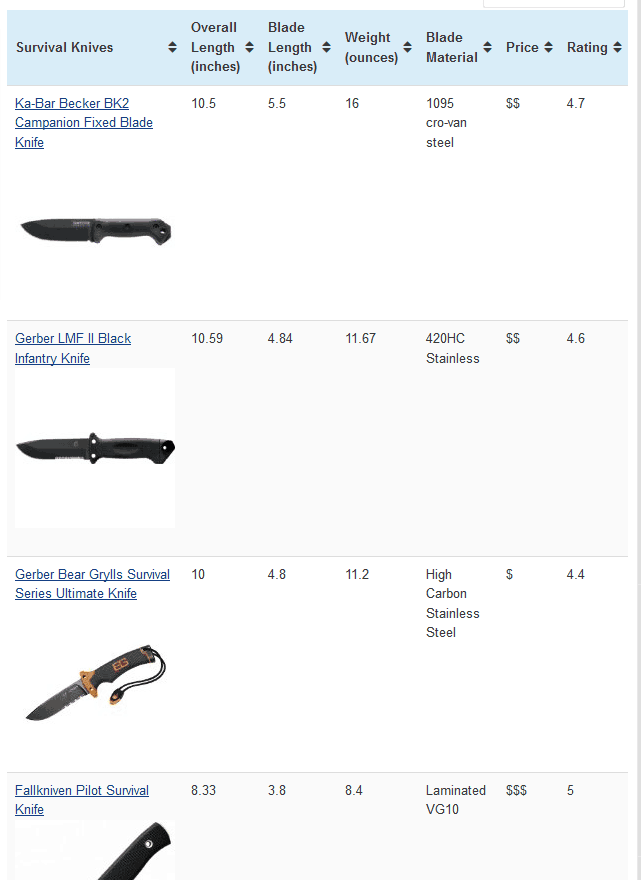
Product Comparison Chart With Ratings Option
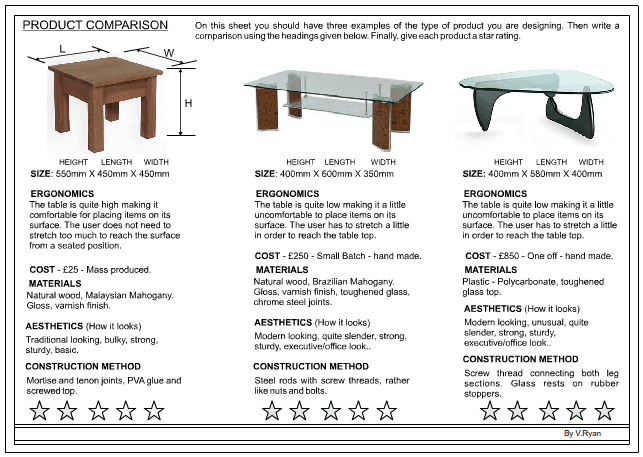
Product Comparison Chart Sample
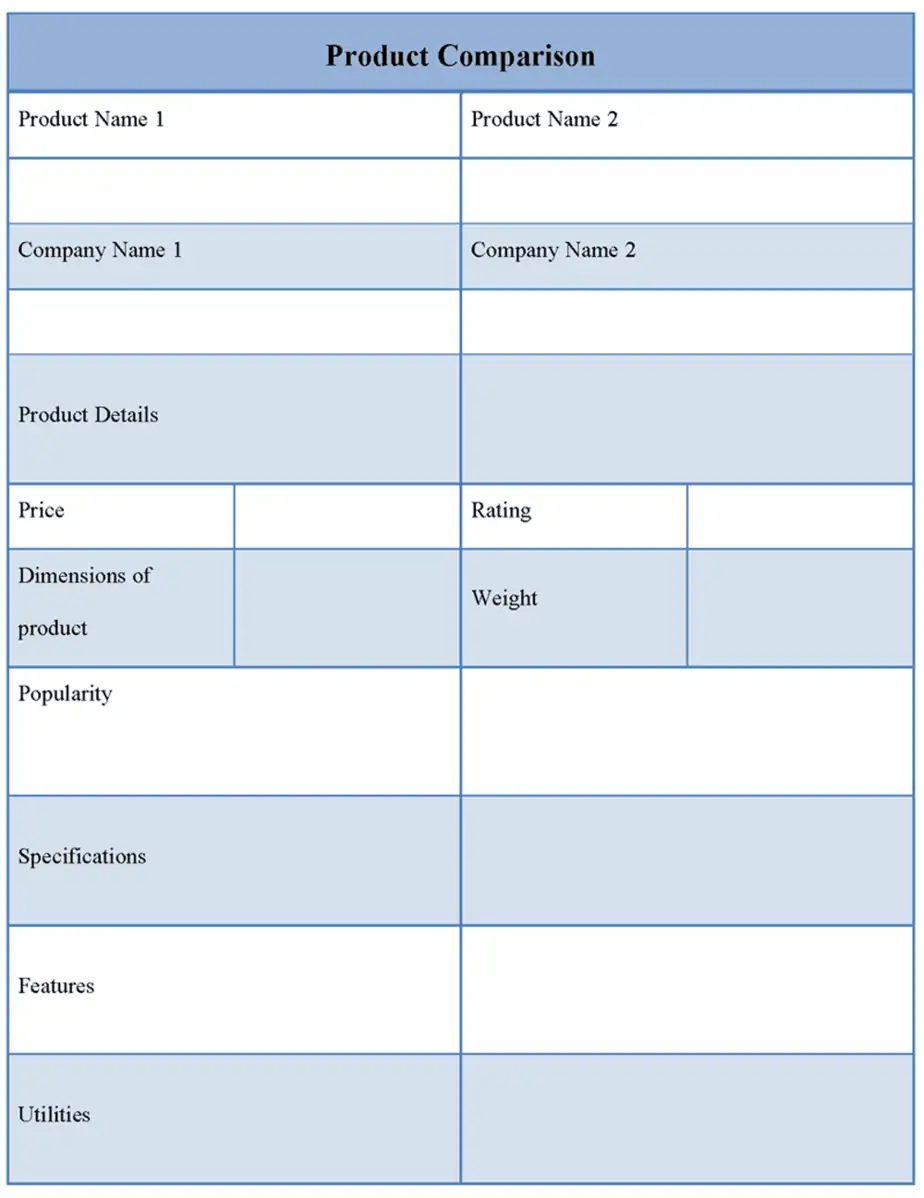
Electronic Product Comparison
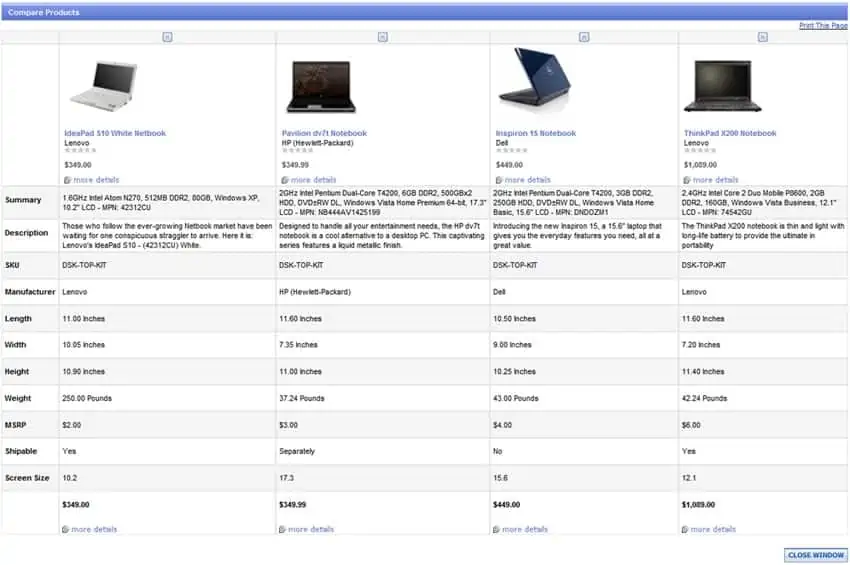
How to use the product comparison template
Step 1. List comparable products and define the criteria before scoring. Keep shortlisted contacts in supplier list templates.
Step 2. Record evidence and note any information that is missing. Organize quoted charges with pricing templates.
Step 3. Review the result alongside essential requirements that cannot be traded away.
Separate mandatory requirements from preferences. A product that cannot perform an essential function should be flagged clearly instead of recovering through high scores on appearance or low price. Keep the reason for each score visible enough to review later.
Include total cost where relevant: purchase price, required accessories, delivery, recurring fees, and expected support costs may all affect the decision. Record unknown figures as unknown rather than zero, because a blank assumption can make an option look artificially inexpensive.
Example and checks
A low-cost device that lacks required software compatibility should fail that requirement even if its weighted score is otherwise high.
Do not mix list prices with tax-inclusive delivered prices. Label the date and source of information that can change. Plan purchased items in stock management templates.
Define the purchase decision and essential requirements
A product comparison should begin with the job the product needs to perform. Write the essential requirements before gathering scores or prices. A low-cost option that cannot perform a required function is not made suitable by a strong rating in an unrelated category. Separate mandatory conditions from preferences that can be traded against one another. This gives the worksheet a clear decision structure and prevents the comparison from being shaped entirely by whichever specifications are easiest to find.
Identify the buyer, intended use, and relevant constraints. A product suitable for occasional home use may not meet the needs of a busy workplace. Space, compatibility, support, delivery timing, and operating conditions can affect the choice. Keep the comparison focused on the actual decision rather than including every available feature. A long table can appear thorough while overlooking the one requirement that determines whether the purchase will work.
Choose criteria that can be compared fairly
Use criteria with a clear meaning and a consistent basis. Capacity, dimensions, warranty coverage, operating cost, and service availability may be useful, but they need definitions appropriate to the product. Check that apparently similar specifications refer to the same conditions. A maximum advertised figure may not be comparable with a typical-use figure. Keep source notes and dates where information can change. The worksheet should make differences easier to understand rather than flattening unlike claims into identical-looking cells.
Distinguish measured facts from judgments. A listed weight is different from a user’s assessment of convenience. Both may matter, but they should not be presented as equally objective. If ratings are used, define the scale and apply it consistently. Unknown information should remain identifiable as unknown rather than becoming a zero or a favorable assumption. A comparison is more trustworthy when it shows what has been checked and what still needs confirmation.
Compare total relevant cost rather than headline price alone
The purchase price may be only part of the cost relevant to the decision. Required accessories, installation, delivery, consumables, subscriptions, servicing, and other commitments can matter depending on the product. Include the costs that actually apply and state the period used for estimates. A one-year operating estimate and a three-year estimate are not directly comparable. Keep original quoted amounts and the basis of any calculation available for review.
Use consistent treatment of taxes, delivery, discounts, and currency. One supplier’s tax-inclusive delivered price should not be compared silently with another’s price before extra charges. Record quotation dates and conditions, especially where an offer expires or depends on a quantity. Do not assume a future running cost is certain merely because it is displayed to two decimal places. The worksheet should identify assumptions, confirmed amounts, and costs that still require information.
Use weighting without hiding mandatory conditions
Weighting can help express the relative importance of preferences, but it should be transparent. Agree the weights before seeing which product benefits from them, and explain what a high or low score means. A weighted total is a result of the chosen method, not an independent fact about quality. Keep the raw assessments visible so someone can understand how the total was produced. Review whether changing a small subjective score would change the outcome materially.
Keep essential pass-or-fail requirements separate from the weighted preference total. A product that fails a mandatory compatibility condition should be flagged clearly. Do not let high appearance or price scores conceal that failure. If the group is uncertain whether a requirement is truly essential, resolve that question explicitly. Changing the requirement may be reasonable, but it should not happen silently because a favored option would otherwise fail the comparison.
Record evidence and supplier clarifications
Use a source reference for important information, such as an official specification, written quote, or confirmed supplier response. The comparison can summarize the evidence without reproducing every document. Record the relevant product version or model because similar names can hide meaningful differences. If a feature is optional, identify whether it is included in the compared configuration. A quote for one configuration should not be presented as the price of a more capable version.
Ask focused questions when information is missing. For example, clarify a required accessory, support arrangement, delivery commitment, or compatibility detail rather than filling the gap with an assumption. Keep the response connected to the relevant criterion. A supplier’s general assurance may not answer a specific technical requirement. The worksheet should help the buyer identify what needs verification before making a commitment, not merely rank options from incomplete marketing descriptions.
Use a practical comparison example
Imagine a small office choosing between two printers. Both meet the basic page-size requirement, but one has a lower purchase price and higher estimated consumable cost. The other offers a different service arrangement and a higher initial price. The comparison records the expected use, required functions, included accessories, and the basis of the running-cost estimate. It does not choose solely from the purchase-price column.
If the office expects only occasional use, the cost balance may differ from that of a high-volume team. A required network or scanning function may also decide whether an option passes the essential requirements. The example shows why a useful comparison is specific to the buyer’s purpose. The same product can be appropriate in one context and unsuitable in another without either comparison being automatically wrong. Clear assumptions make that difference understandable.
Review the recommendation and retain the decision record
Before deciding, check that the compared options still match the quotations and requirements. Recalculate totals and review missing information, outliers, and subjective scores. Summarize the main tradeoffs in plain language. A decision note should explain why the selected option fits the purpose and which limitations are accepted. Avoid claiming that it is universally best when the worksheet supports only a defined comparison under stated assumptions.
Keep the completed comparison with its evidence and date if it supports purchasing approval or later review. Use a clean copy for another purchase rather than changing the old record without explanation. Protect commercial or personal information when sharing. The product comparison template is most useful when it structures a fair process: relevant requirements, comparable evidence, consistent costs, transparent scoring, and an understandable decision. An attractive table or a large total cannot replace those foundations.
Check the sensitivity of a scored result
If two options have very similar weighted totals, examine which assumptions drive the difference. A small change to a subjective rating may reverse the order. That does not make the comparison useless, but it means the recommendation should explain the uncertainty instead of presenting a narrow numerical lead as decisive evidence.
Review the most influential criteria and ask whether better information is available. A demonstration, a written clarification, or a reference check may resolve an uncertainty more effectively than adjusting decimal places in the spreadsheet. Keep the decision focused on the buyer’s important needs and the quality of the evidence.
Try a clearly labeled alternative weighting when the purpose is to understand different priorities. For example, a buyer placing greater importance on service availability may reach a different conclusion from one prioritizing initial cost. Do not change weights silently after seeing an unwanted result. Record the reason for the alternative view.
This review can produce a conditional recommendation: one option suits the stated volume and service needs, while another may be preferable under a different use pattern. Such a conclusion is often more useful than claiming one universal winner from a model built for a particular situation.
Confirm the configuration before ordering
Before a purchase is approved, match the chosen product model, included options, quantity, and quoted terms to the comparison. A similar name or an updated quote may represent a different configuration. Check that required accessories and services remain included.
Keep the approved decision record connected to the final purchasing documents. If the order changes materially, review the affected assumptions rather than treating the earlier comparison as automatic approval for a different product.
Frequently asked questions
Should every criterion have equal weight?
Only if they are equally important to the decision.
Can I use the sheet for suppliers?
Yes. Adapt the criteria to delivery, service, reliability, and purchasing requirements.

You must be logged in to post a comment.