
A marketing budget template allocates spending across campaigns, channels, and reporting periods. It should connect each budget line to a measurable purpose rather than simply increasing every category.
Choose a layout with campaign, owner, planned cost, actual cost, and result fields. Separate recurring tools from individual campaign costs.
Template previews and downloads
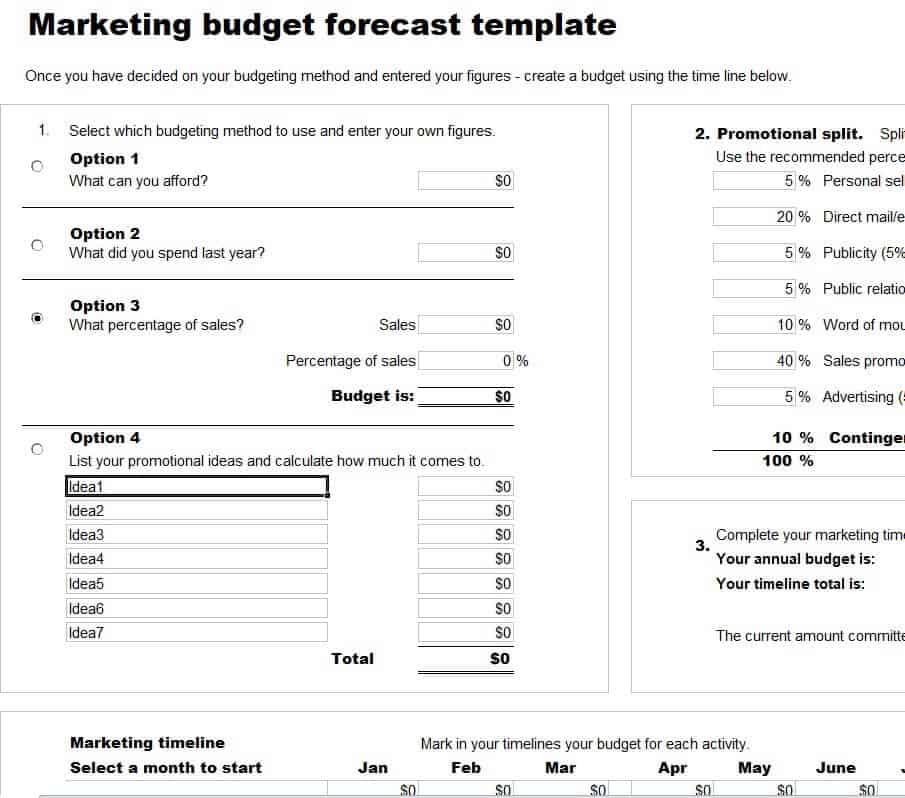
Marketing Budget Forecast Template
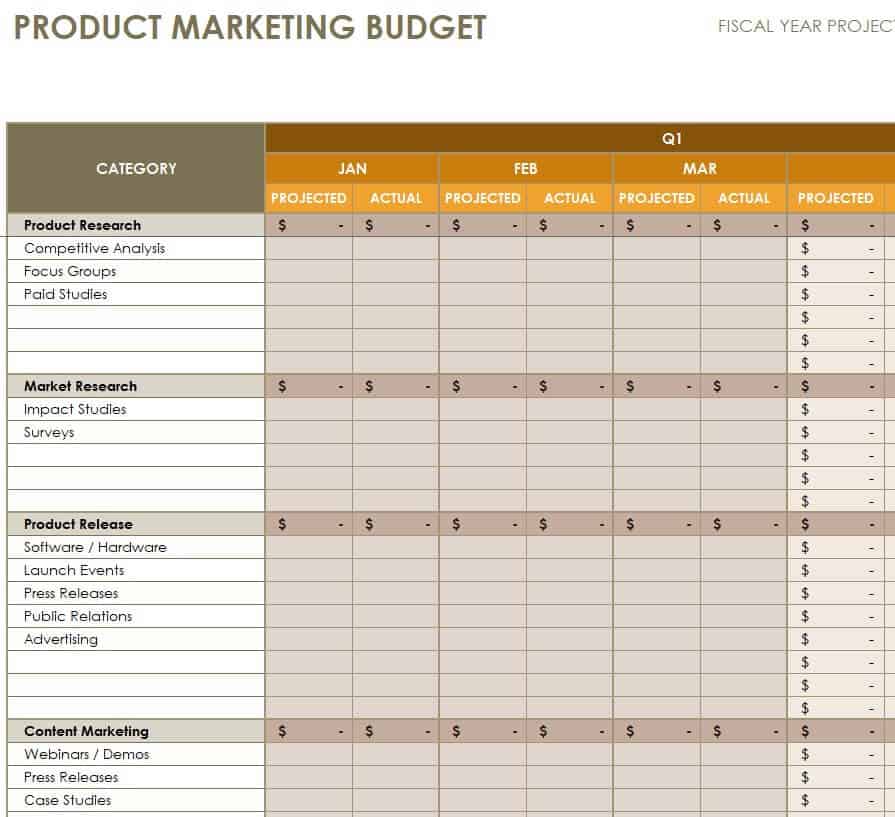
Product Marketing Budget Template
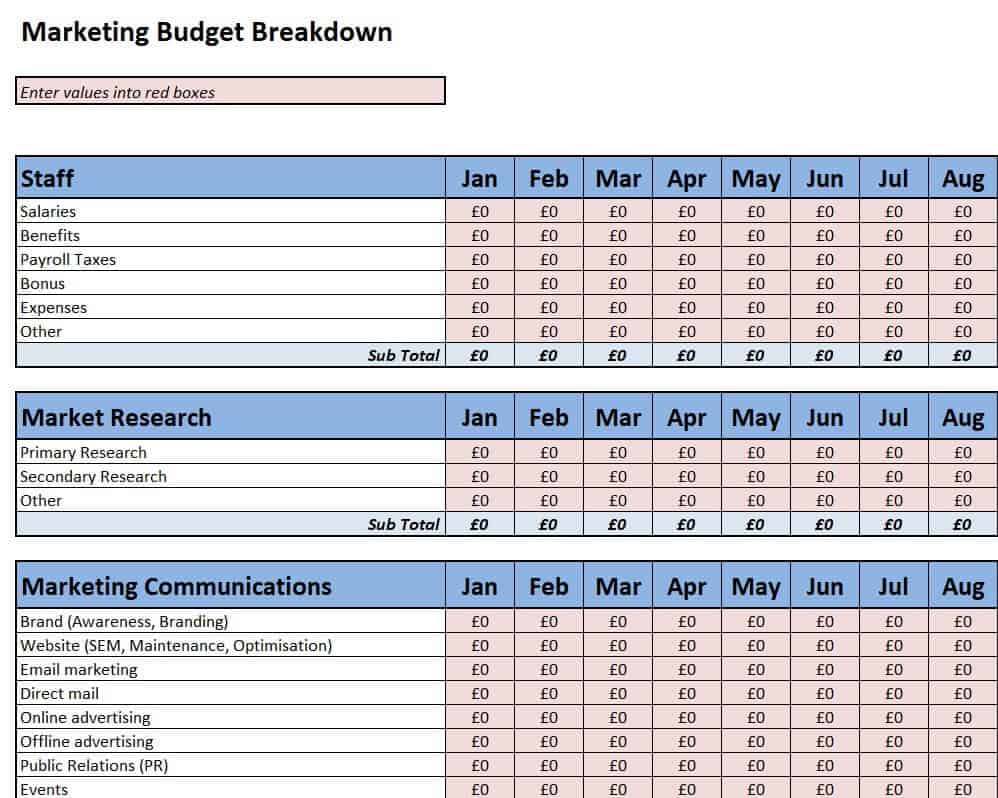
Marketing Budget Breakdown Template
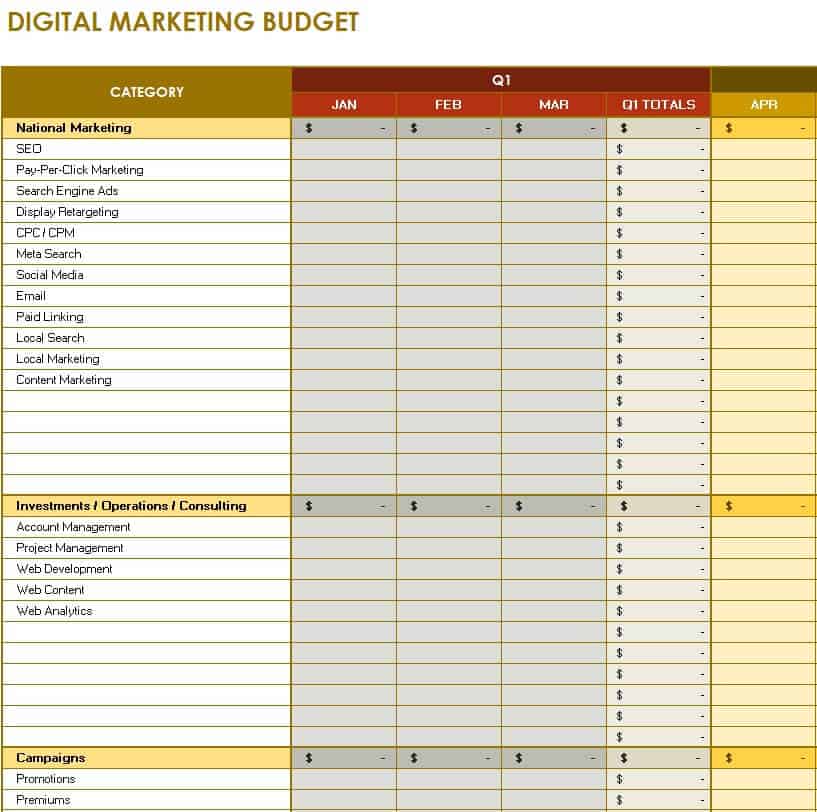
Sample Digital Marketing Budget Template
Detailed Annual Marketing Budget Template
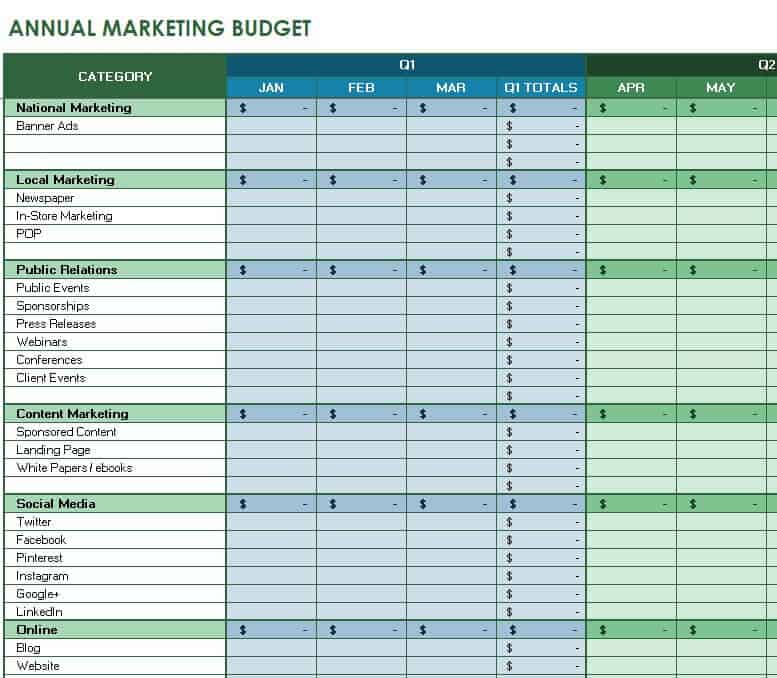
Simple Annual Marketing Budget Template
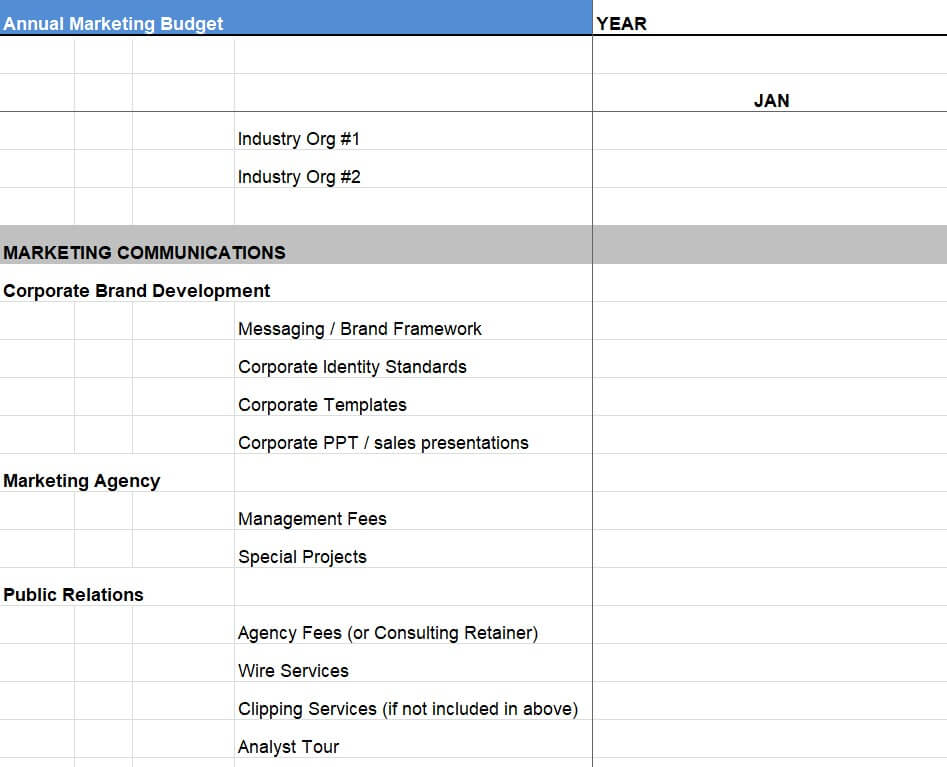
Free Marketing Budget Excel Template
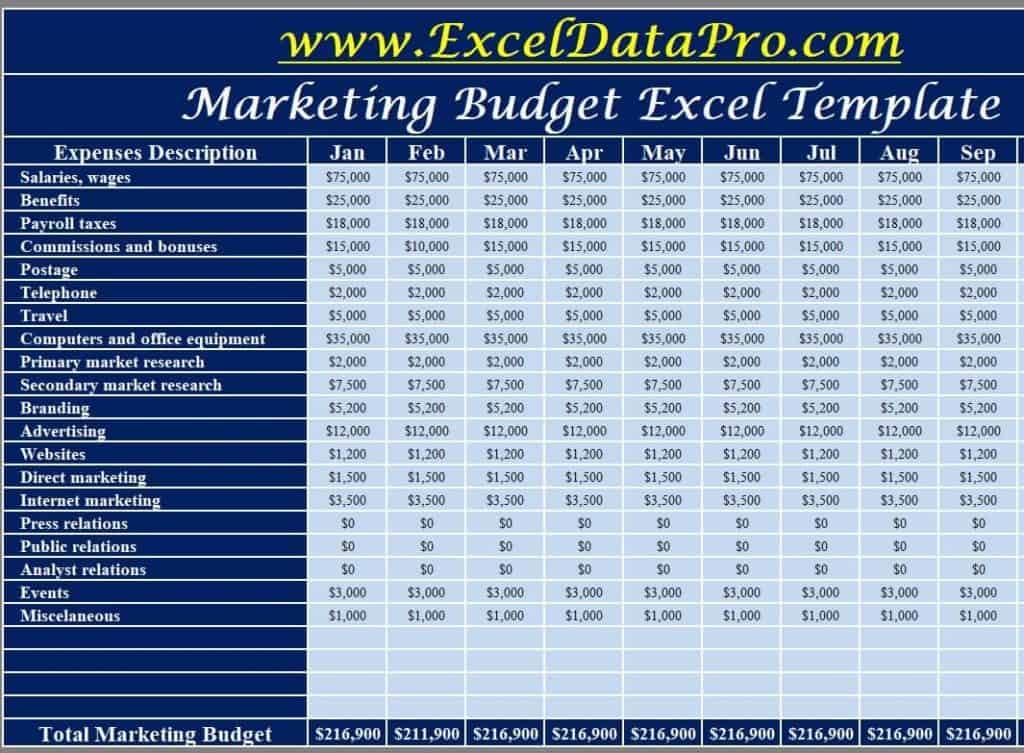
Blank Annual Marketing Budget Template
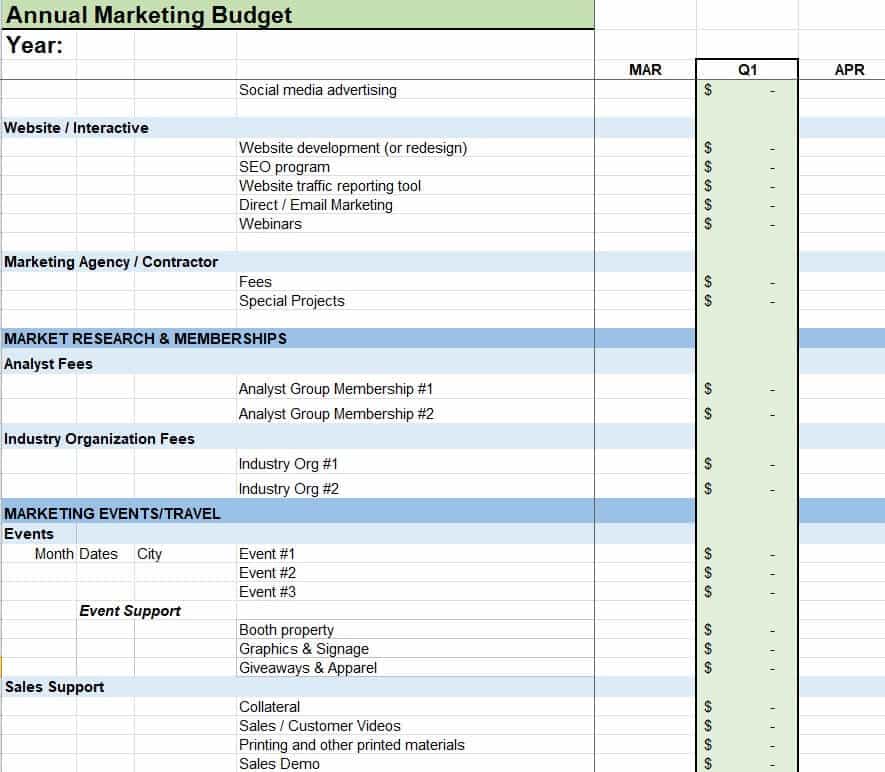
Editable Marketing Budget Plan Template
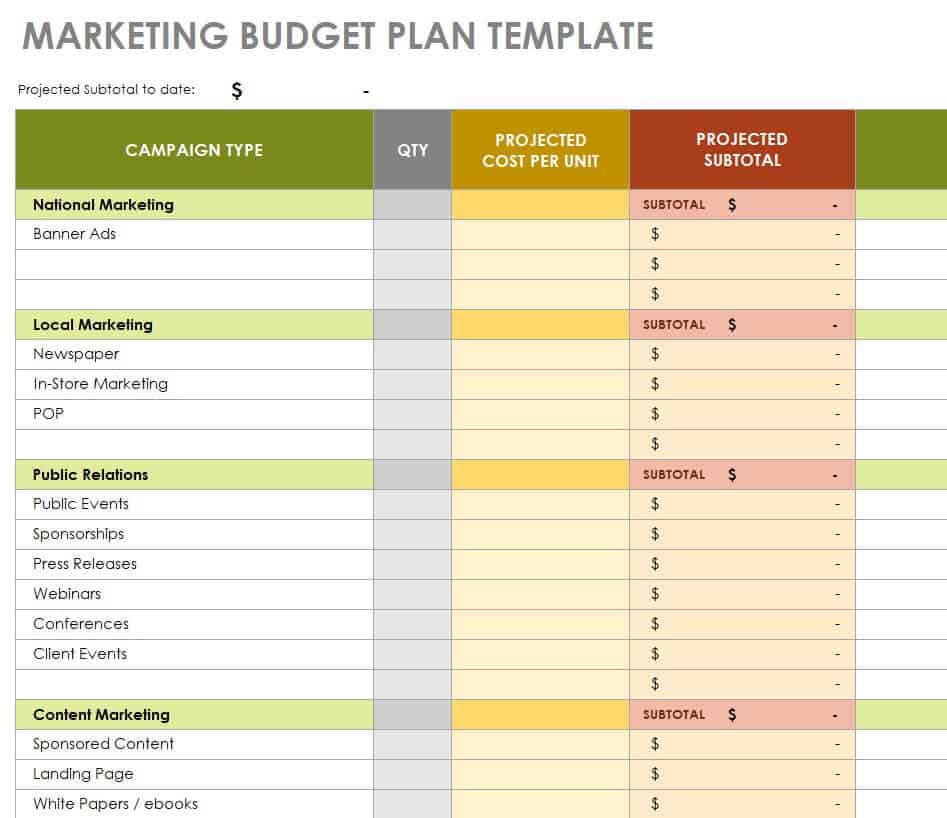
Marketing Budget Plan Excel Template
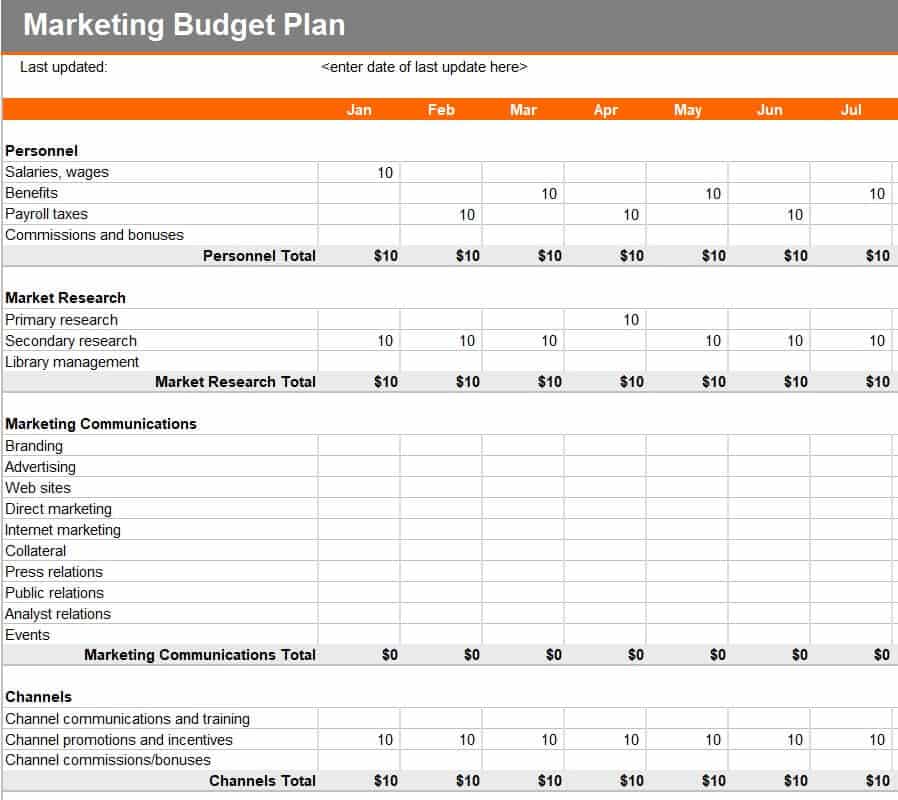
Official Marketing Budget Plan Template
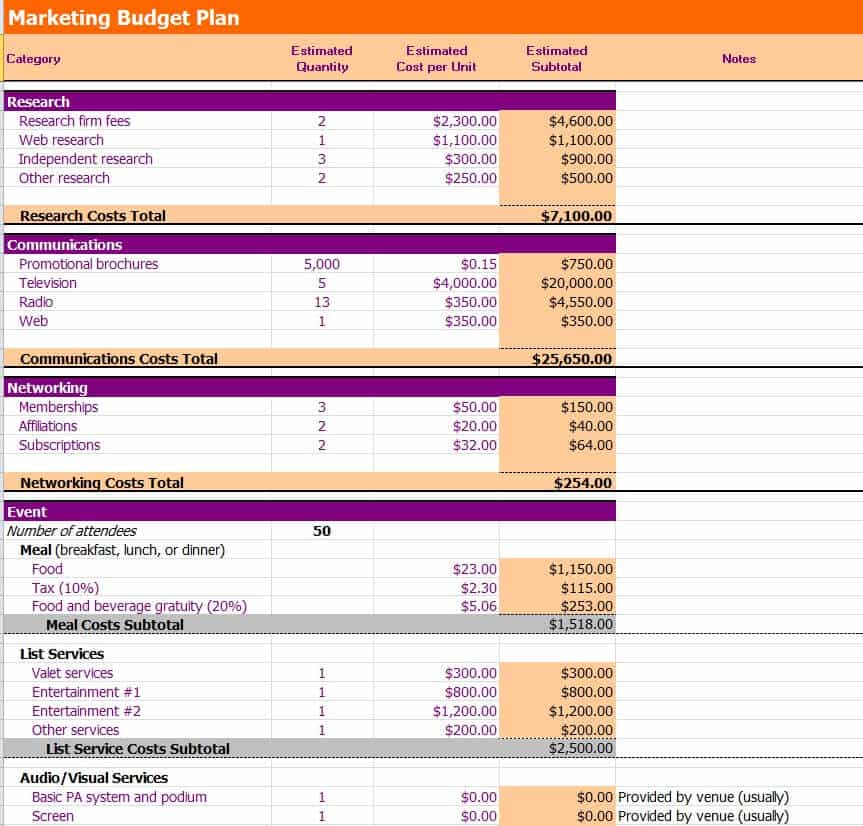
Simple Marketing Budget Template Excel
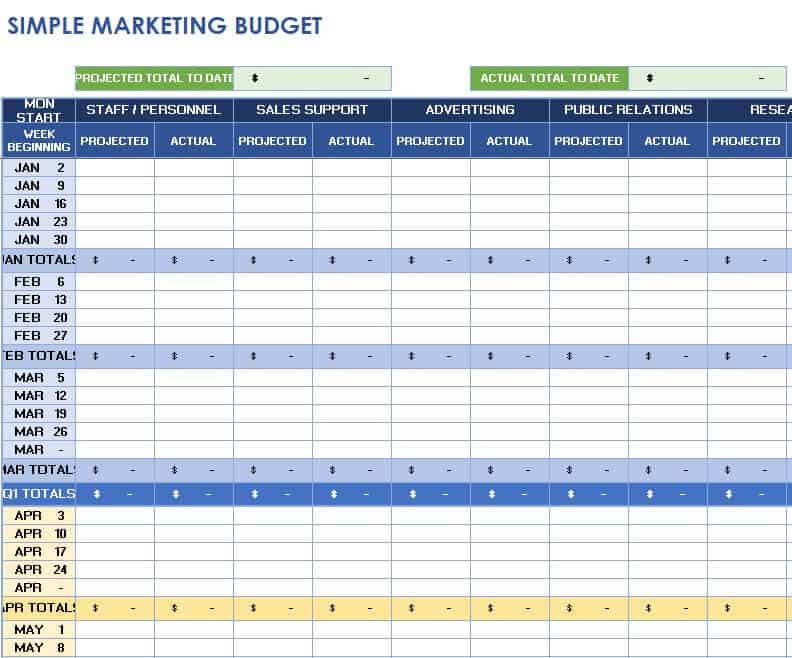
Quarterly Marketing Budget Template in XLSX Format
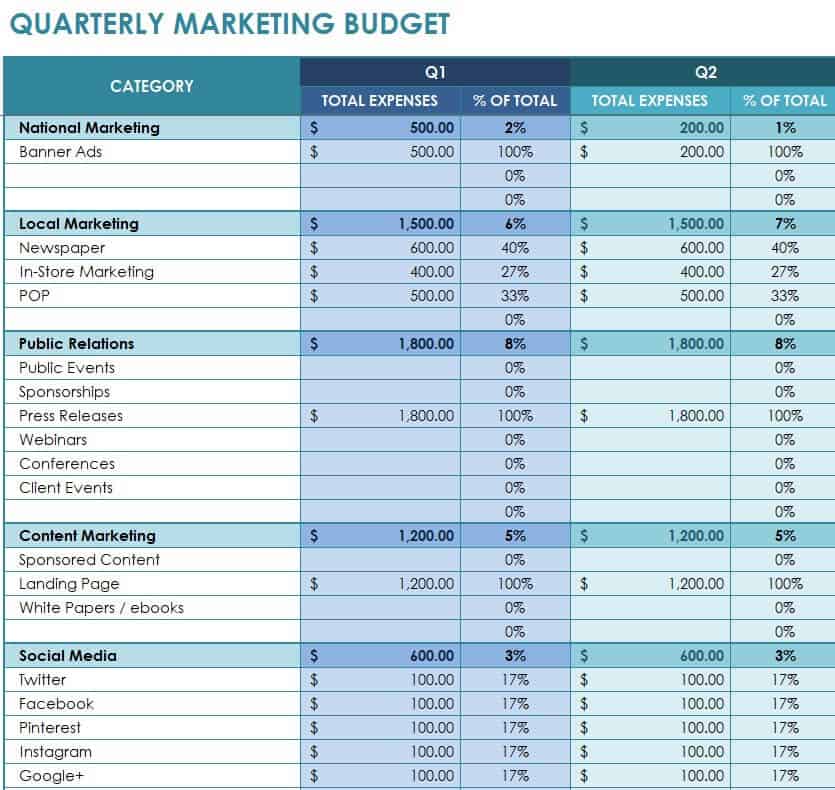
Example Marketing Budget Plan Template
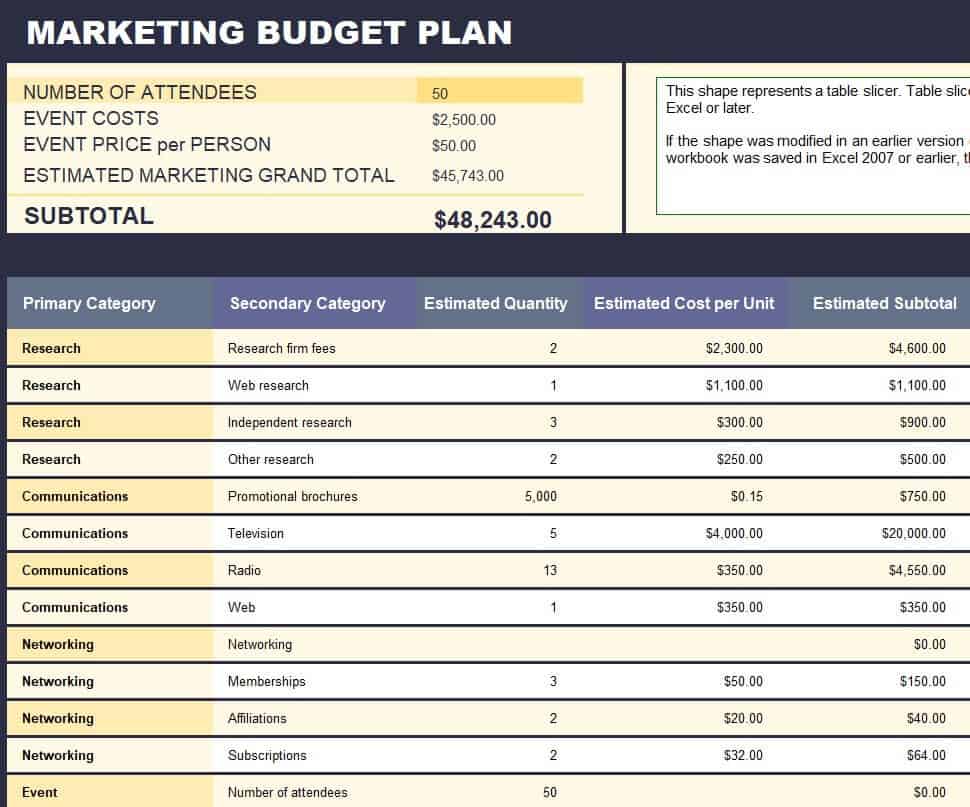
Social Media Marketing Budget Template
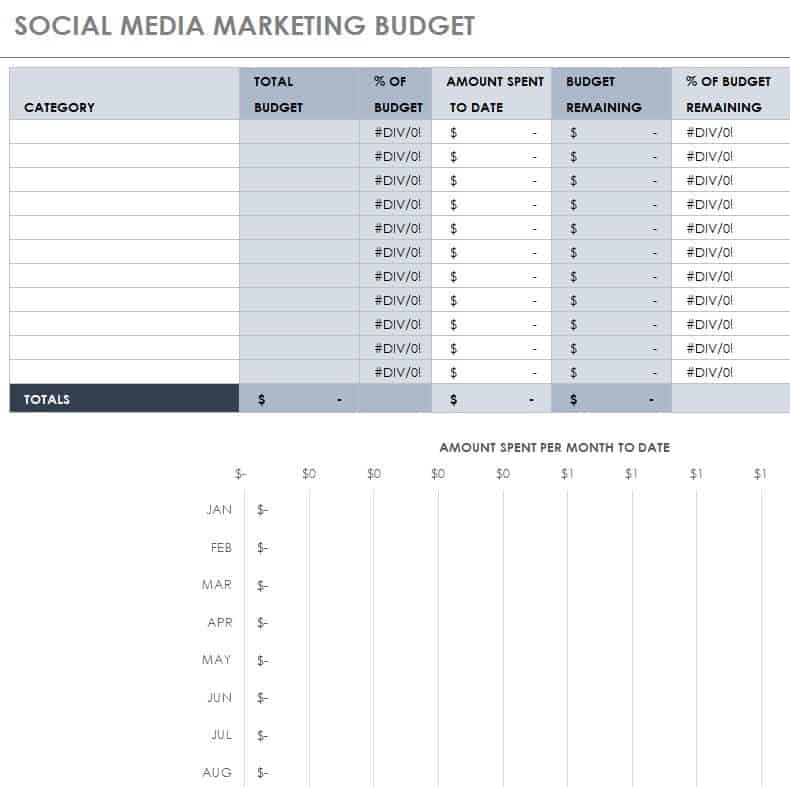
Channel Marketing Budget Template
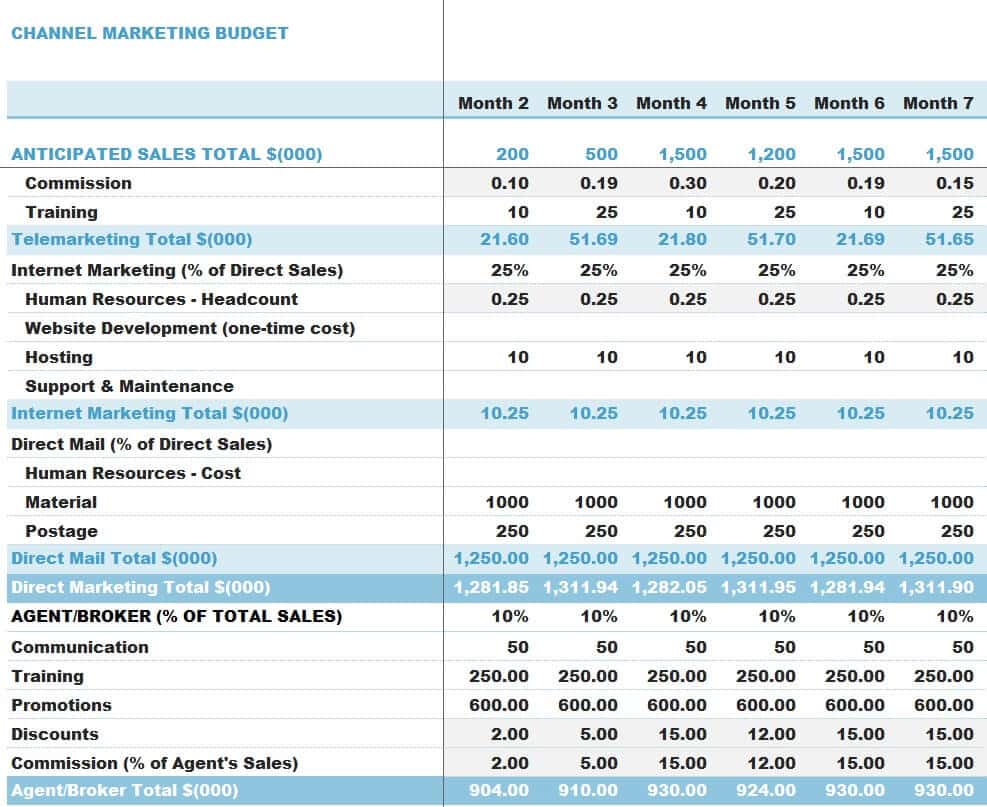
How to use the marketing budget template
Step 1. Set the campaign goal and available budget. Plan event-based promotion using event budget templates.
Step 2. Allocate funds to creative work, distribution, tools, and testing. Track follow-up opportunities with sales pipeline templates.
Step 3. Compare actual spending and results, then adjust future allocations.
Distinguish spending inputs from business outcomes. Impressions, visits, leads, and completed sales describe different stages, so they should not be combined into a single unlabeled results column. Define which measure is used before calculating a cost per result.
Track committed costs as well as money already paid when campaigns involve retainers or advance bookings. This prevents the available budget from appearing larger than it is. Review campaigns using comparable time windows and document major attribution limitations.
Example and checks
If a campaign costs 500 and produces 25 qualified leads, its cost per qualified lead is 20. Define qualified consistently before comparing campaigns.
Do not confuse revenue with profit or attribute every sale during a campaign to that campaign. Record the measurement assumptions. Reconcile actual marketing payments in expense trackers.
Start with a campaign objective and a spending boundary
A marketing budget is more useful when it supports a defined objective. A business may want qualified inquiries for a particular service, registrations for an event, repeat purchases, or awareness among a specific audience. Those goals require different activities and measurement. State the objective before dividing money between channels. An amount allocated to advertising should have a reason beyond being the same amount spent last month. Identify the planning period and the total spending boundary so individual campaign decisions can be reviewed against the same agreed limit.
Keep the budget connected to the business’s capacity to deliver. Generating more inquiries is not automatically helpful if there is no practical way to respond or fulfill the resulting work. Include the people responsible for follow-up when planning the campaign. A budget can show creative production, distribution, tools, and support costs separately. This makes it easier to identify an incomplete plan, such as reserving money for paid distribution while leaving no provision for the landing page, customer response, or materials needed to make the activity work.
Organize costs by activity and responsibility
Choose categories that allow the team to understand what will be purchased and who controls the commitment. Examples may include design, copywriting, photography, advertising, events, email tools, printing, and external support. Adapt the list to the campaign rather than copying every category from a generic workbook. Assign an owner to each major budget line and identify whether the amount is an estimate, a quotation, or a confirmed commitment. The distinction matters because a confirmed booking can reduce available budget before the invoice is paid.
Separate recurring costs from campaign-specific costs. A software subscription used by several campaigns may need a documented allocation for a management comparison, while a print run for one event belongs directly to that event. Avoid counting the same cost in both a shared overhead total and a campaign total when those views are combined. Keep a reference to the quote, purchase order, or agreement behind significant amounts. This helps a reviewer understand what is included and prevents an apparently low cost from hiding charges that will be billed separately.
Set a measurement plan before spending begins
Define the result you intend to measure and how it will be recorded. Visits, inquiries, qualified leads, purchases, and revenue are different measures. They should not share an unlabeled results column. If the objective is qualified leads, agree the qualification criteria before comparing channels. Otherwise one campaign may appear cheaper simply because it counts every form submission while another counts only relevant prospects. A budget and results worksheet should make these definitions visible enough that someone outside the campaign can understand the comparison.
Record the reporting window and any important limitations. A campaign may generate a response that converts later, or a customer may interact with several channels before purchasing. A simple spreadsheet may not resolve attribution reliably. State the method used rather than assigning every sale in the period to the campaign. Use consistent source records and avoid changing the definition midway through a report without explanation. A small set of understandable measures is more useful than a large dashboard whose calculations and assumptions cannot be checked.
Plan a test allocation and decision points
A test budget should have an amount, a purpose, and a review point. It may be used to compare messages, audiences, or channels, but the comparison needs a clear question. Change too many elements at once and it becomes difficult to know why results differed. Keep the test allocation distinct from the money intended for a later rollout. This prevents an initial experiment from using the entire budget before the team has enough information to make a considered next decision.
Choose review criteria that suit the activity and available evidence. An early campaign may need time to produce meaningful results, while a broken page or obviously incorrect targeting may justify an immediate correction. Avoid presenting a universal minimum sample or guaranteed return that the workbook cannot establish. Record what was tested, what happened, and what action was agreed. The budget then becomes a record of disciplined learning as well as spending. Decisions to continue, change, pause, or stop can be explained against the original purpose of the test.
Use a worked example to compare costs
Suppose a campaign spends 600 and produces 30 inquiries, of which 12 meet the business’s qualification criteria. The cost per inquiry is 20, while the cost per qualified lead is 50. These figures describe different stages and should not be interchanged. If three of those leads become customers, a simple campaign-cost-per-customer measure would be 200, subject to the attribution method. The arithmetic is useful only when the underlying counts are accurate and the reporting period is clear.
Do not treat those figures as proof of profit. Revenue from a customer is different from the margin remaining after delivering the sale, and future purchases may be uncertain. Compare campaigns using the same cost scope and outcome definition. If one figure includes creative production while another includes only advertising spend, label the difference before drawing conclusions. The worksheet should help expose these assumptions. It should not make a recommendation appear stronger by comparing a narrow cost figure for one option with a fully loaded cost for another.
Monitor commitments, actual payments, and variances
Keep planned, committed, and actual amounts separate where the campaign involves bookings or staged payments. A deposit and a final balance may relate to one overall supplier cost. Recording all three as independent expenses would overstate spending. Similarly, an unpaid approved invoice can be a commitment even though it has not yet appeared in the bank account. Use references and status fields so the reviewer can see what remains available and what has already been promised.
At each review, calculate the difference between the relevant actual or forecast total and the approved budget. Define whether a positive variance means overspending or underspending. Investigate significant differences rather than automatically moving money until every line matches. A lower actual cost could reflect a delayed activity, a negotiated saving, or work that was never completed. Those explanations lead to different decisions. Record approved reallocations and keep the original budget available so the history of the campaign remains understandable.
Close the campaign with a usable learning record
At the end of the reporting period, reconcile outstanding supplier items and record any remaining commitments. Check the final result definitions and make sure the same outcome has not been counted twice. Prepare a short explanation of the main differences from plan and the decisions they suggest for future activity. A useful closeout can identify a message worth testing again, a cost that needs better estimation, or a follow-up process that limited results. It should distinguish evidence from an assumption that still needs testing.
Keep the completed budget, supporting references, and results together in a way the next campaign owner can understand. Use a clean copy for the next planning cycle instead of deleting the history. Review formulas and summary ranges after adding channels or periods. Protect sensitive customer and commercial information when sharing the workbook. A practical marketing budget template provides a consistent structure for allocating money, monitoring commitments, checking outcomes, and learning from decisions. The quality of that process matters more than a complicated chart or an optimistic return figure without supporting records.
Prepare a campaign brief alongside the numbers
A short campaign brief can explain details that a budget total cannot. Record the intended audience, offer, main message, channel, owner, and planned dates. Keep it connected to the relevant budget lines. If a cost changes because the brief changes, the relationship is then visible rather than appearing as an unexplained increase.
For example, changing from a simple email campaign to an event with printed materials creates different production, staffing, and venue needs. The revised budget should reflect that scope change. Comparing the final expense with the original email-only estimate without explanation would give a misleading impression of budget control.
Use the brief during approvals and at closeout. Ask whether the agreed activity was delivered, whether the intended measure was recorded, and which assumptions were confirmed or contradicted. This keeps the marketing budget tied to a concrete piece of work and a learning process, rather than a series of unrelated payments grouped under a broad advertising label.
Frequently asked questions
Should I budget for testing?
Yes. Keep a defined test allocation with a review point rather than treating it as unlimited spending.
Can I compare channels in one sheet?
Yes, when costs, dates, and result definitions are comparable.

You must be logged in to post a comment.