
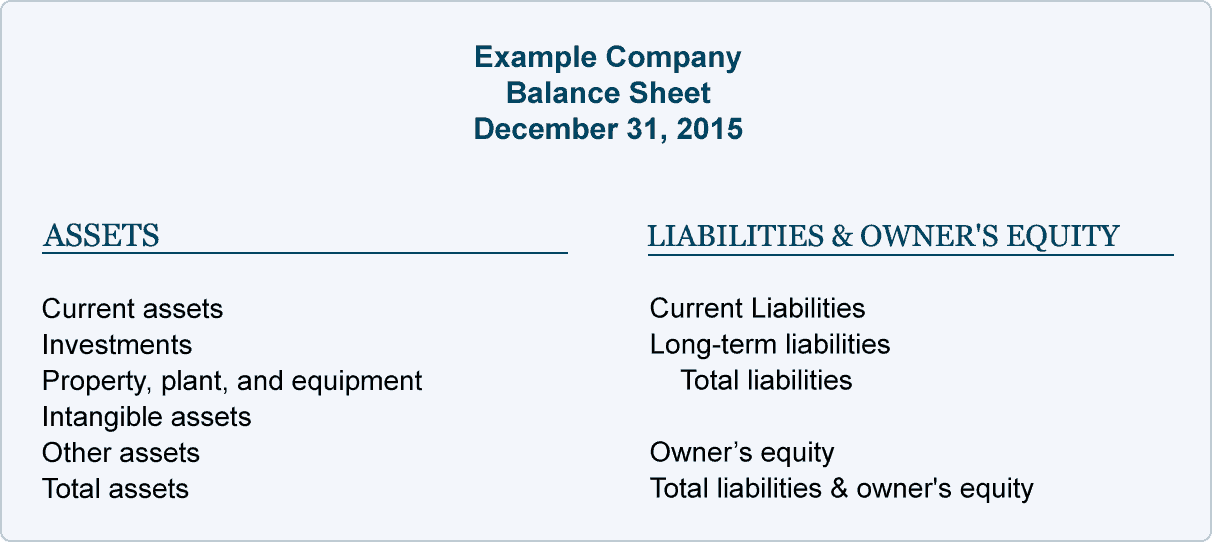
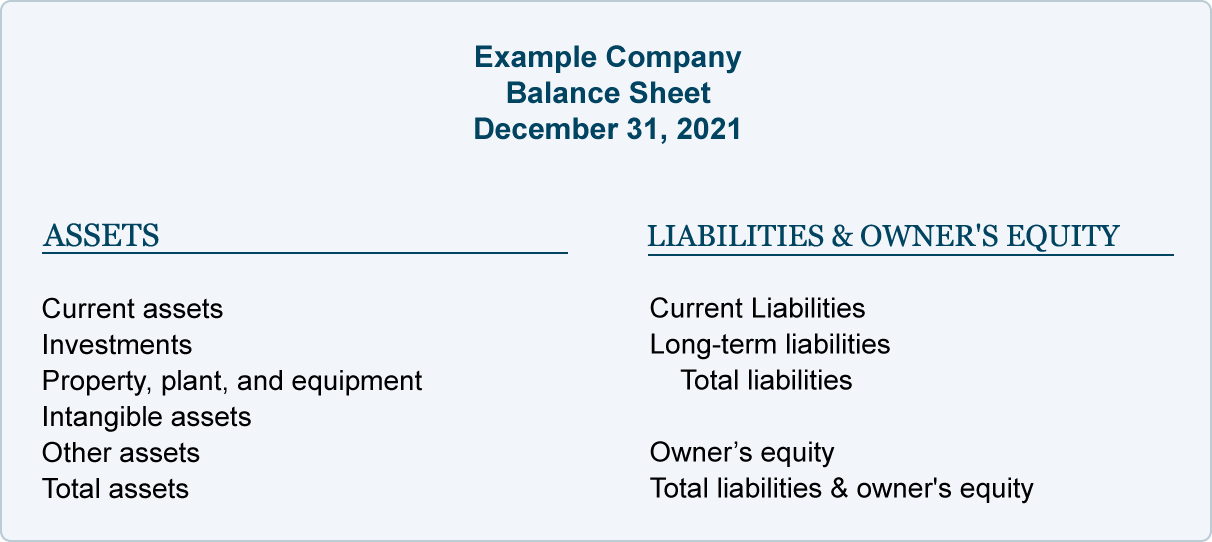
A balance sheet template presents assets, liabilities, and equity at a specified date. The basic relationship is assets equal liabilities plus equity.
Choose a format appropriate to the entity and reporting needs. Separate current and longer-term categories where required, and keep comparative periods consistent.
Template previews and downloads
Balance Sheet Excel Format
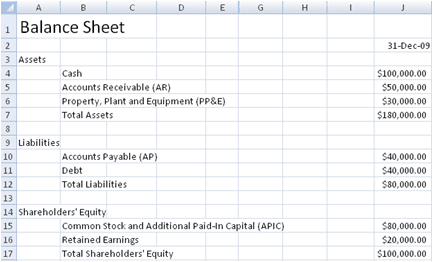

Balance Sheet Printable
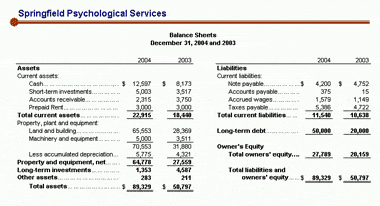
Balance Sheet Format Free
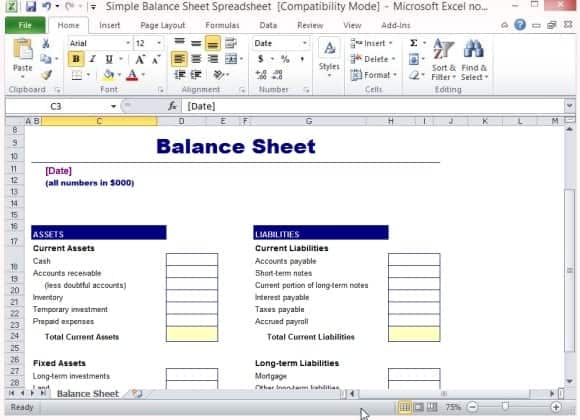
Balance Sheet Maker
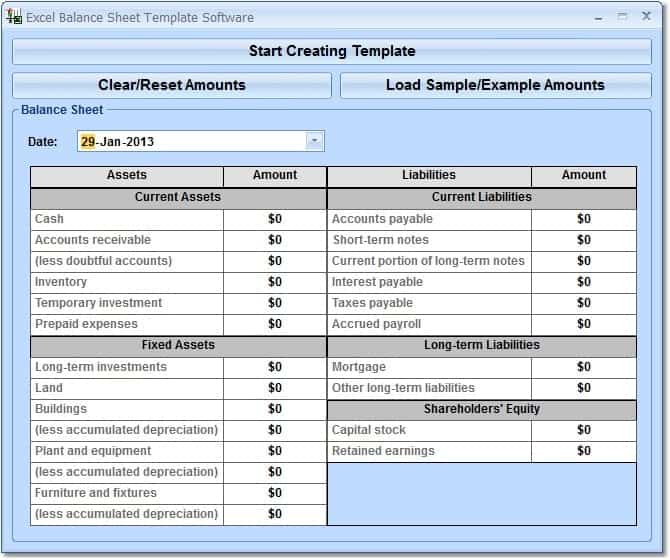
Balance Sheet MS Excel Format
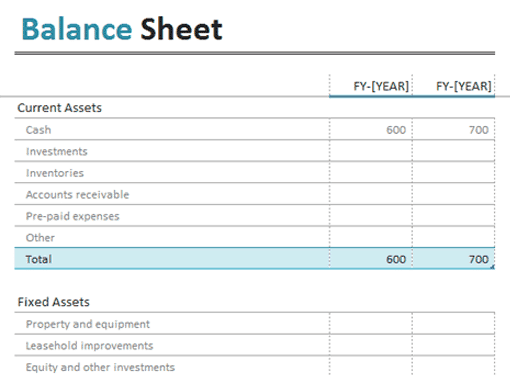
Business Balance Sheet
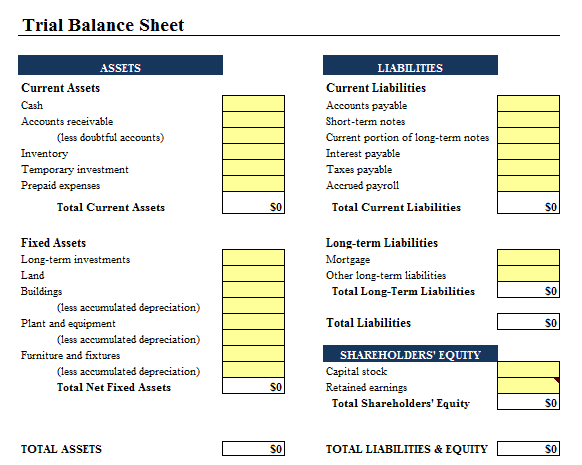
Balance Sheet Free Sample
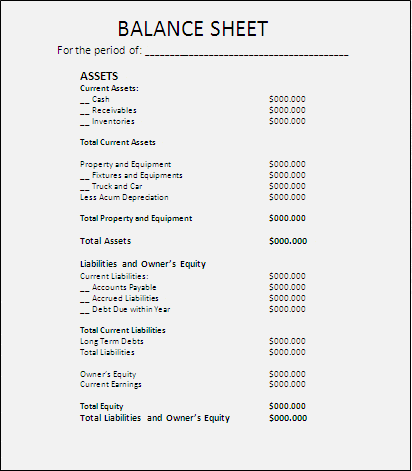
Sample Balance Sheet
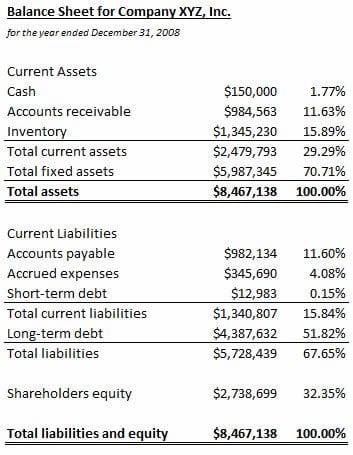
Balance Sheet Example
How to use the balance sheet template
Step 1. Set the reporting date and use verified account balances. Report performance over a period with profit and loss templates.
Step 2. Classify assets, liabilities, and equity with supporting schedules. Explain cash movements using cash flow templates.
Step 3. Check that the accounting equation balances and reconcile material items.
Use supporting schedules for balances such as receivables, payables, inventory, and loans. A report total is easier to review when the underlying accounts can be traced and reconciled. Keep estimated values and accounting adjustments identifiable rather than blending them into ordinary transactions.
Review the date carefully: a balance sheet describes a point in time, so including next month’s transactions can distort the result. Comparative columns should use matching classifications or explain changes so the reader can understand what actually moved.
Example and checks
Assets of 100,000 with liabilities of 40,000 imply equity of 60,000. A difference in the equation needs investigation rather than a balancing figure inserted without support.
A balanced total does not prove every value is correct. Classification, valuation, omissions, and ownership still need review. Support balances with general ledgers.
Set the reporting entity and date first
A balance sheet presents the financial position of a particular reporting entity at a particular date. Write both clearly before entering account balances. A business, an individual, and a combined household are not interchangeable reporting scopes. Mixing their assets or obligations without a defined basis can make the result misleading. Likewise, a balance at the end of one month should not quietly include transactions from the next. The reporting date gives every supporting figure a common reference point.
Identify the currency and the accounting basis relevant to the report. Use a format appropriate to the entity and the intended reader. A management working paper may need different supporting detail from a report prepared under a specified reporting framework. The Excel template can organize the headings and calculations, but it does not decide the applicable requirements. Keep assumptions and material estimates identifiable. A clear scope and date make the report easier to reconcile, compare with an earlier period, and explain to someone who did not prepare it.
Organize assets with supporting records
List assets in categories that suit the reporting purpose and relevant requirements. Common categories can include cash, receivables, inventory, property, and equipment, but not every entity will use all of them. Support balances with records that can be checked. Cash may be reconciled to bank and cash records, receivables to customer balances, and inventory to the relevant quantity and valuation records. Avoid entering a number solely because the template contains a heading that appears suitable.
An asset’s original purchase price is not automatically the amount that belongs in every later balance sheet. Valuation, depreciation, impairment, and other accounting considerations may apply according to the asset and reporting basis. Keep the relevant calculations in supporting schedules rather than burying them in an unexplained final figure. Do not count the same resource twice because it appears in two lists. If ownership or classification is uncertain, identify the question for review instead of choosing whichever category makes the report look stronger.
Record liabilities and equity distinctly
Liabilities describe obligations that need appropriate recognition and measurement under the reporting basis. Supplier balances, borrowing, and other amounts owed may require different supporting schedules. Check current outstanding amounts rather than assuming an original loan or invoice amount is still correct. A repayment or settlement can change the balance. Keep the entity’s obligations separate from personal amounts that do not belong in its accounts, and review transactions between owners and the business according to their actual nature.
Equity is not a place to insert any unexplained difference merely to make the balance sheet agree. Its components need a basis in the records, such as owner contributions, accumulated results, or other relevant movements. Where the report uses opening and closing balances, reconcile the changes. The accounting equation provides an important mathematical relationship, but an equal total does not prove correct recognition, classification, or valuation. Both sides can balance while an important asset is omitted or an expense is posted to the wrong account.
Use the accounting equation as a check
The basic relationship is assets equal liabilities plus equity. In an illustrative report, assets of 75,000 and liabilities of 28,000 imply equity of 47,000 if those are the complete relevant figures. This arithmetic helps identify a mismatch, but it is not a method for validating the underlying records. If the report does not balance, review source balances, signs, links, and omitted lines. Do not immediately add a balancing figure and treat the problem as solved.
Check subtotals as well as the final equation. A category total may exclude a newly inserted row, or a formula may count a subtotal again as an ordinary account. Compare key balances with their supporting schedules and inspect unusual negative amounts. Some balances can legitimately have an unexpected sign depending on the circumstances, while others indicate an error. The useful response is to understand the cause. A report that balances because of two offsetting errors can still give a poor picture of the entity’s position.
Keep comparative periods consistent
Comparative columns are useful when they show genuinely comparable information. Use matching categories, consistent units, and clearly labeled dates. If the presentation or accounting treatment changes, explain the effect where necessary. A movement between categories can otherwise look like a business change when it is only a reporting change. Retain the earlier approved report rather than overwriting it with the new period’s figures. This makes it possible to understand the history and investigate differences.
Review changes alongside the relevant performance and cash information. An increase in cash may come from borrowing or an owner contribution rather than profit. A higher receivable balance may reflect more credit sales or slower collection. The balance sheet identifies the position at the date, while other reports and supporting records explain the movement. Avoid drawing a broad conclusion from one balance alone. A useful review asks what changed, what evidence supports it, and which follow-up question the movement creates.
Check the Excel format and complete the review
Inspect formulas after adding accounts, columns, or reporting periods. Totals and linked cells may not expand automatically. Keep editable inputs distinguishable from calculated results and test a simple known example. Review print areas, repeated headings, and page breaks if the report will be shared on paper. The entity, date, currency, and column labels should remain visible enough that a detached page is not mistaken for a different period or organization.
Before issuing the report, reconcile material balances, review classifications and estimates, and record any unresolved questions. Use appropriate accounting review for the purpose and complexity of the report. Protect commercially sensitive or personal information when circulating working papers. A balance sheet template saves time on structure, but the report becomes dependable through complete records, appropriate accounting treatment, checked formulas, and a clear review process. A professional-looking layout is helpful only when the figures it presents can be understood and supported.
Prepare a short supporting-schedule index
A supporting-schedule index can identify the source behind each important balance. Record the account or category, schedule name, reporting date, responsible person, and review status. This does not need to be a complicated new system. Its purpose is to make a reported figure traceable without searching through unrelated files.
For example, the receivables figure can point to a dated customer-balance schedule, while the borrowing figure points to the relevant reconciliation. Check that both schedules use the balance sheet date. A perfectly prepared supporting record for a different date may not support the figure shown in the report.
Use the index during review to identify missing evidence or unresolved questions. The report should not be considered complete merely because every heading contains a number. Clear supporting references help the preparer and reviewer distinguish verified balances from estimates or items still awaiting clarification, and they make the next reporting period easier to prepare consistently.
Frequently asked questions
1. What is a balance sheet format in Excel?
A balance sheet format in Excel is a spreadsheet layout used to organize a business’s assets, liabilities, and equity and present its financial position at a specific date.
2. What are the main sections of a balance sheet?
The three main sections are assets, liabilities, and equity. These sections are used to present what a business owns, what it owes, and the remaining ownership interest.
3. Can I edit a balance sheet template in Excel?
Yes. An editable Excel balance sheet can be customized by adding financial figures, changing categories, inserting rows, and modifying the layout.
4. What is the basic balance sheet accounting equation?
The basic accounting equation is Assets = Liabilities + Equity. A properly prepared balance sheet should maintain this relationship.
5. Can a small business use an Excel balance sheet format?
Yes. Small businesses can use a simple Excel balance sheet to organize financial information and review their assets, liabilities, and equity.
6. What information is included under assets?
Assets may include cash, accounts receivable, inventory, equipment, property, investments, and other resources owned or controlled by the business.
7. Can I use a balance sheet template for monthly reporting?
Yes. An Excel balance sheet can be prepared for monthly, quarterly, or annual reporting by entering the financial information applicable to the selected reporting date.
8. Why use an Excel balance sheet format?
Excel provides an editable and organized way to enter, update, review, and maintain financial information without having to create the entire balance sheet layout from scratch.
Is a balance sheet a report for the whole year?
It is a snapshot at a date, although it may be prepared as part of annual reporting.
Does it show cash profit?
No. Profit and cash movements are explained by different reports.

You must be logged in to post a comment.