
A recruitment tracker earns its place when it makes the next action clear. Which applicant needs a response? Which panel has not submitted feedback? Which offer is still waiting for an answer? These five free recruitment tracker Excel templates organize those questions without turning the hiring process into a list of names and unexplained scores.
The set includes a candidate pipeline, structured interview scorecard, recruitment-source cost tracker, vacancy plan, and offer-response register. Each editable .xlsx workbook has its own theme and layout. The previews show the real files, and the buttons provide direct downloads without registration or macros.
Use a candidate ID and vacancy ID consistently. Keep contact details, application documents, and sensitive records in the appropriate controlled location. The spreadsheets support organization and review; they do not contact candidates, conduct assessments, or make hiring decisions.
Give each stage an owner and a next step
A stage name should have a meaning your team shares. Screen might mean an initial conversation is being arranged, while Interview might mean a panel assessment is underway. Record the next action separately so a stage does not hide whether feedback, scheduling, or a candidate response is still outstanding.
Use the same convention for a candidate applying to more than one vacancy. A separate candidate-vacancy pair is often clearer than putting several roles into one cell. The person can progress differently for each opening, and the recruitment record should preserve that distinction.
For a small process, the following division keeps the work manageable:
| Step | Record to keep | Question to answer |
|---|---|---|
| Approve the opening | Vacancy plan | How many places are authorized? |
| Manage applications | Candidate pipeline | Who owns the next action? |
| Review interview evidence | Scorecard | What supports each rating? |
| Follow an issued offer | Offer tracker | What response is outstanding? |
| Review sourcing | Cost tracker | What did the entered activity cost? |
Five practical recruitment workbooks
1. Candidate Pipeline and Follow-up
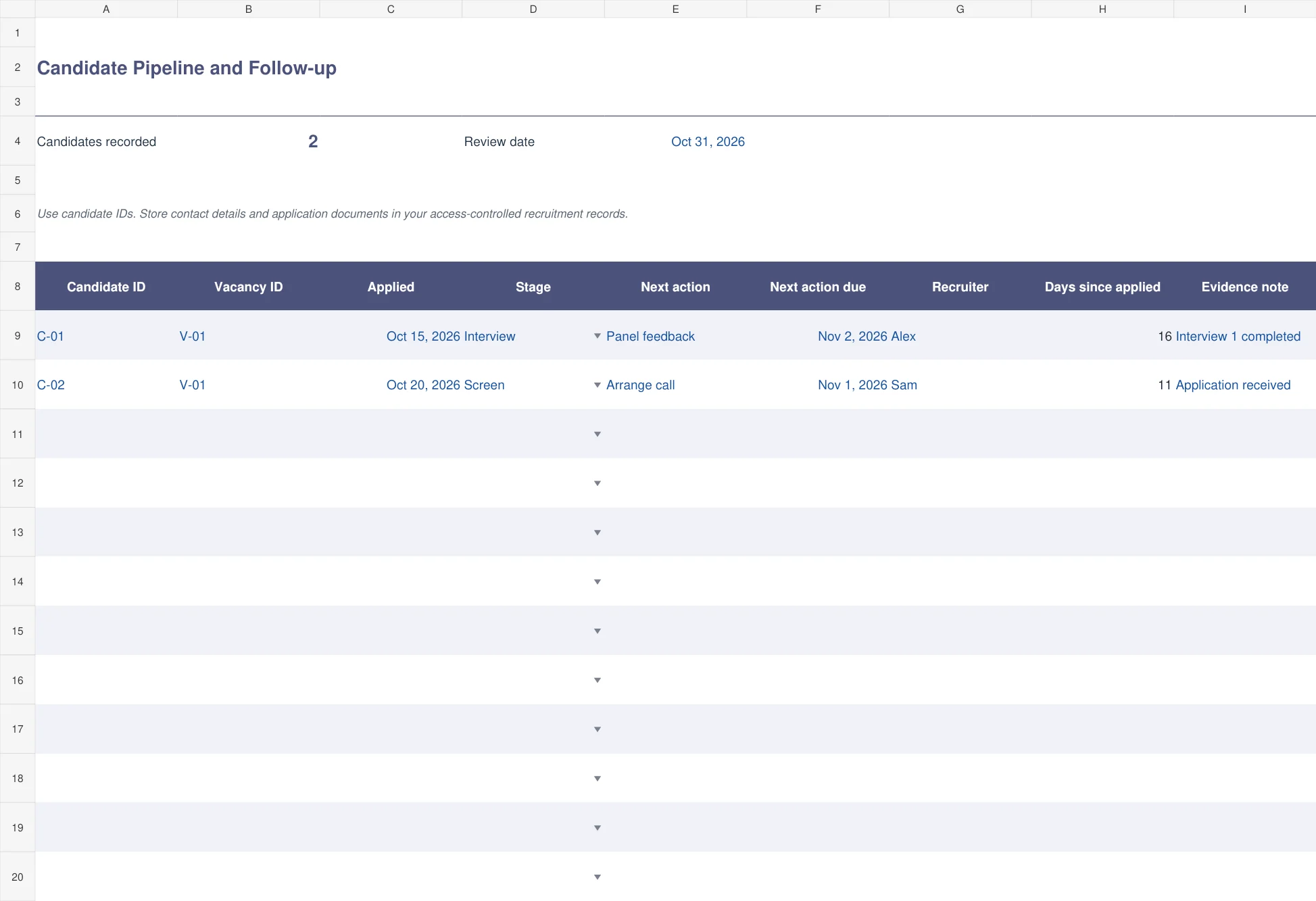
The indigo candidate pipeline records candidate ID, vacancy ID, application date, current stage, next action, action due date, recruiter, days since application, and a short evidence note. Stage dropdowns help the team use consistent terms.
Choose this as the day-to-day working list. The next-action date highlights overdue follow-up for active candidates, excluding Hired, Rejected, and Withdrawn entries. Days since application is a simple elapsed-time measure, not proof that a candidate has been ignored for the whole period. Keep a concise record of the actual communication and work completed in the relevant recruitment system.
2. Structured Interview Scorecard
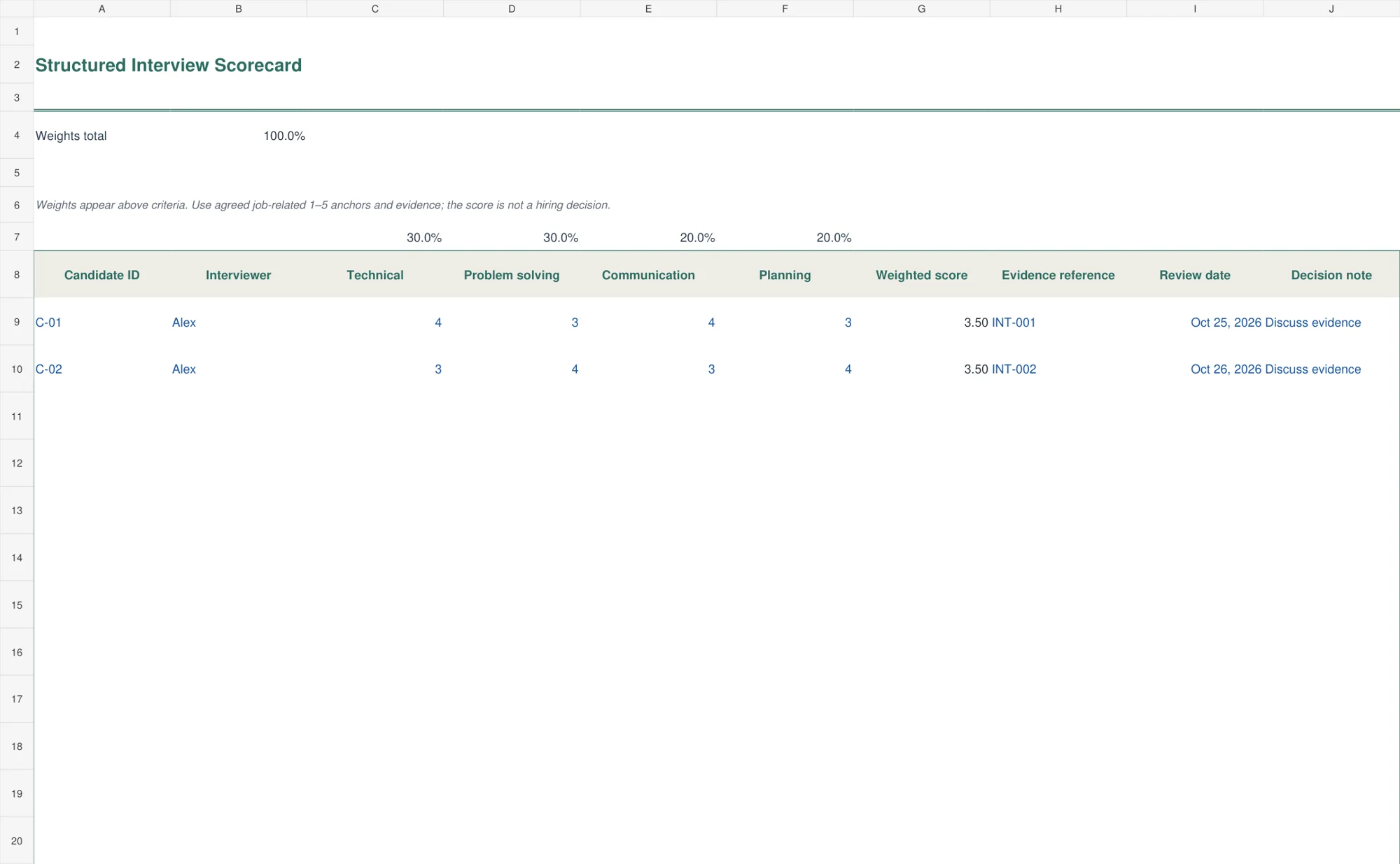
The green scorecard combines four editable, job-related competencies with weights and numeric ratings from one to five. The weights sit above the criteria and must total one hundred percent. The calculated score remains unavailable until all four ratings are entered and the weights are valid.
Use the sheet alongside agreed rating anchors and interview evidence. Record an evidence reference and the interviewer so the rating can be discussed. Do not treat two equal totals as evidence that candidates gave the same answers. The file calculates a weighted summary; it does not rank candidates automatically or replace a documented hiring review.
3. Recruitment Source Cost Tracker
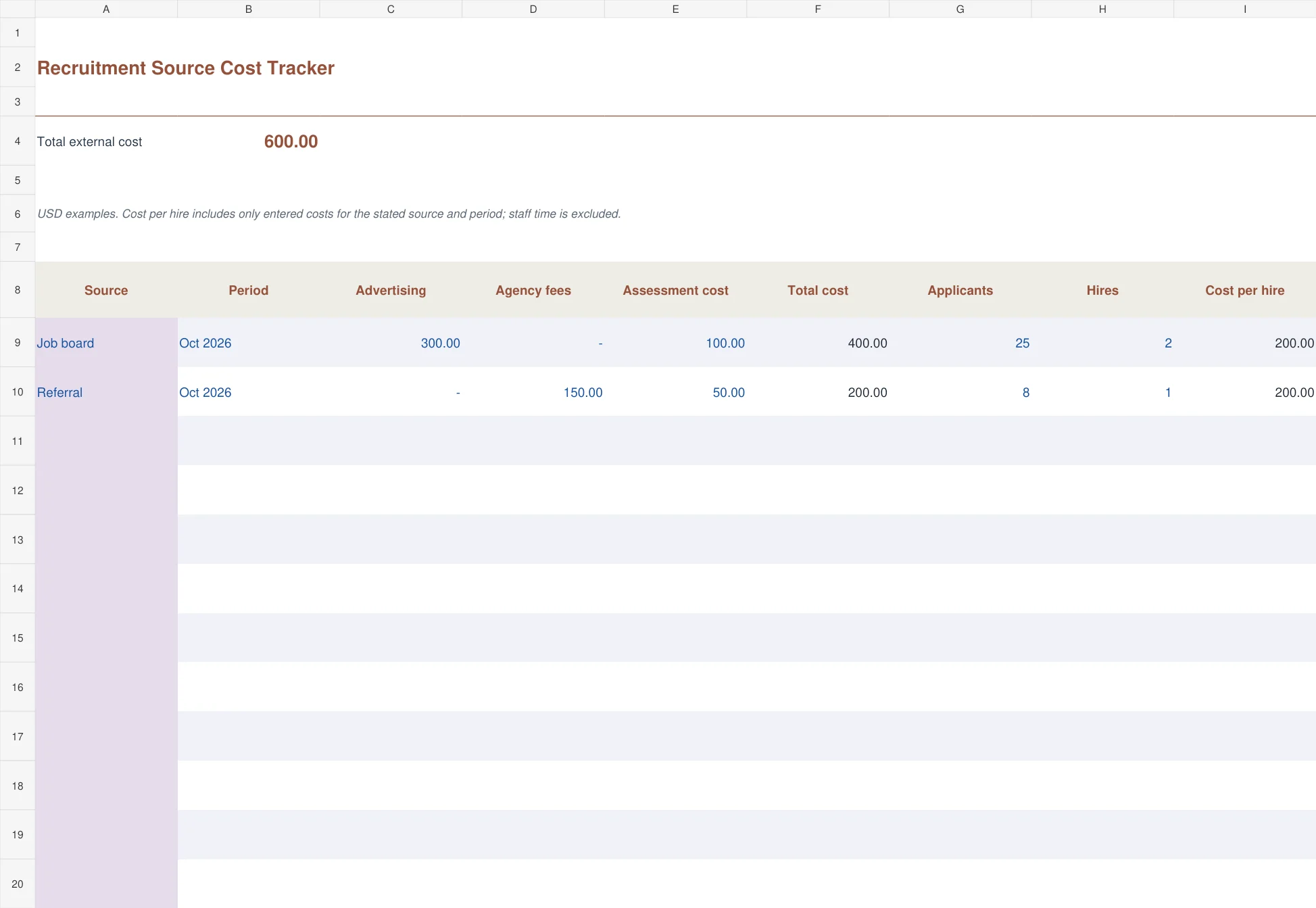
The copper source-cost tracker records a channel and period, advertising, agency fees, assessment cost, applicants, and hires. It totals entered external costs and calculates cost per hire when at least one hire is recorded. With no hires, it reports that fact instead of dividing by zero.
Use consistent source attribution and reporting periods before comparing channels. The example excludes internal staff time, so it is not a full organizational cost-per-hire measure. A channel with a lower entered cost may still be slower or less suitable for the role. Review what the number includes before drawing a conclusion.
4. Vacancy and Hiring Plan
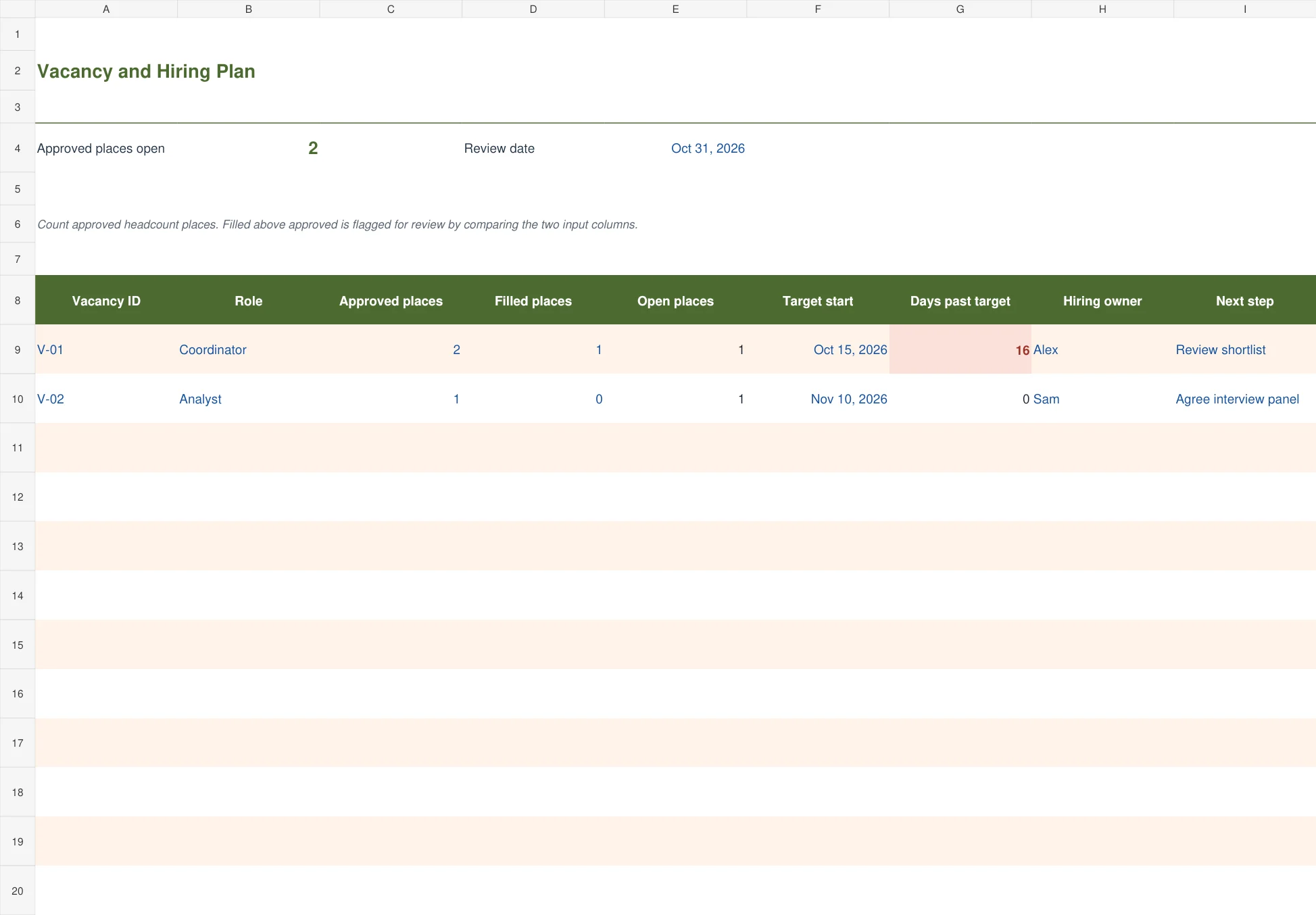
The olive vacancy plan compares approved places with filled places for each vacancy. It calculates the open places and days beyond the target start date when places remain open. The owner and next-step fields show who will move the vacancy forward.
This is useful when a hiring manager has several openings or a role has more than one approved place. Keep approval and filled counts current. A target start date is not the same as the date recruitment began, so days past target should not be called time to hire. Review an overfilled count rather than silently increasing the approved number.
5. Offer Response Tracker
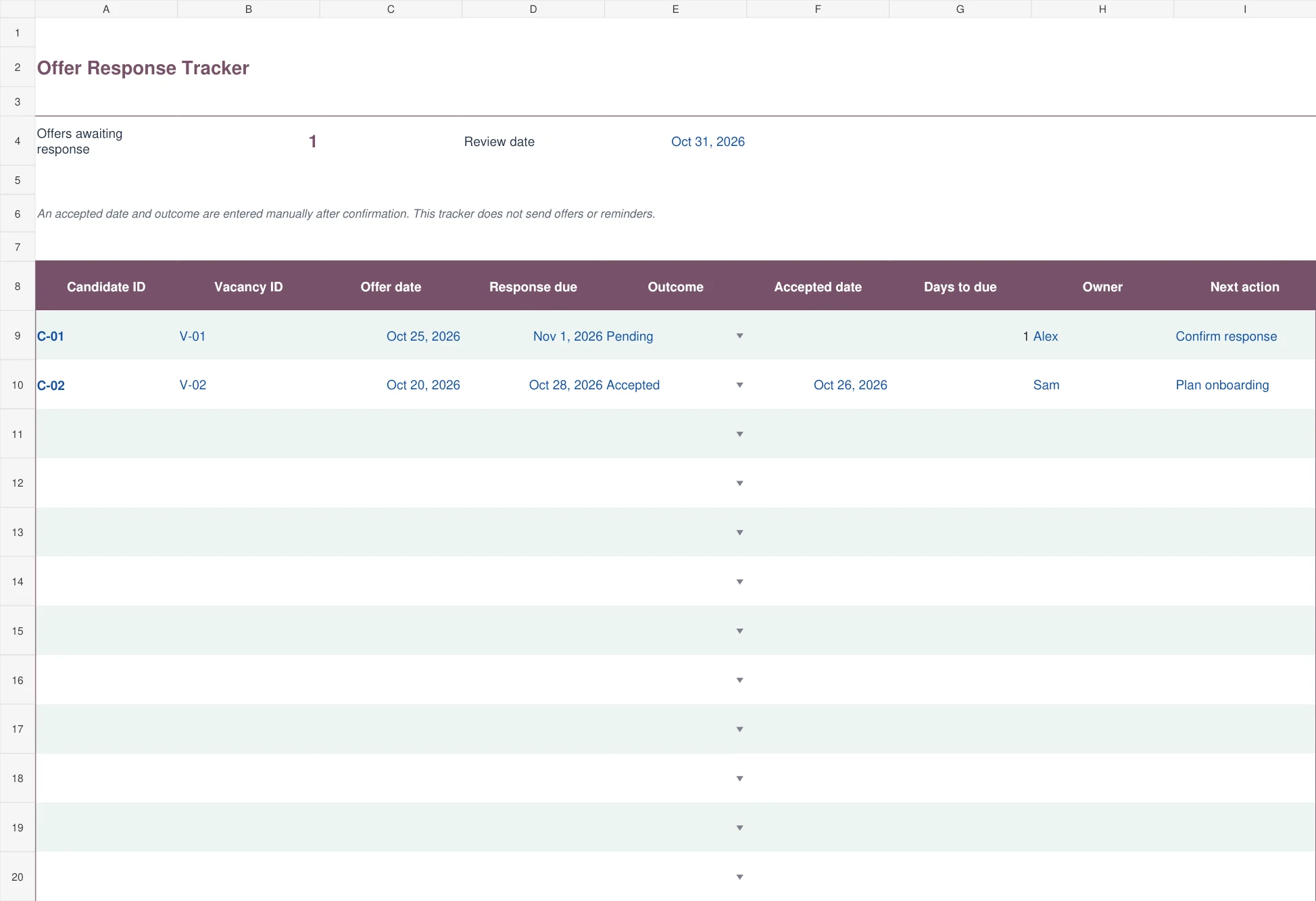
The berry offer-response register follows candidate and vacancy IDs from offer date through response due date, outcome, acceptance date, owner, and next action. Pending offers show days remaining to the response deadline, with overdue dates highlighted.
Use it after an offer has actually been issued through your normal process. A verbal expectation of acceptance is not a confirmed acceptance date. The tracker does not send offers, negotiate terms, or generate reminders. Once the outcome is confirmed, record it and hand the relevant start information to the people preparing onboarding.
Prepare the interview scorecard before the interview
Choose competencies from the work the role requires. Define the question or exercise that provides evidence for each one, then describe what different ratings mean. A technical rating of four should have an agreed basis, not simply mean the interviewer felt positive about the conversation.
Set weights before reviewing candidates and use the same approach for the same vacancy. If the role genuinely changes, document the change and consider how the assessments remain comparable. Changing a weight after seeing an appealing result makes the number harder to interpret.
The U.S. Office of Personnel Management’s structured interview guidance explains the use of job-related questions and consistent rating methods. The example competencies in this workbook are placeholders to adapt to the role, not a universally validated assessment.
Write evidence-based notes. Record the answer, example, or observed work that supports the rating. Avoid using a spreadsheet cell to store irrelevant personal observations. A useful review should be able to explain the assessment from the recorded job-related evidence.
Keep interview scheduling separate from candidate status
A panel calendar and a candidate pipeline solve different problems. Use a weekly schedule to reserve interview slots and confirm availability. Use the pipeline to record that the candidate is awaiting an invitation, attending an interview, or waiting for feedback.
If a panel member changes, update the schedule and the assessment ownership. Do not move a candidate to a later stage merely because a calendar invitation exists. The event and its outcome should be confirmed first.
A daily work schedule can help interviewers leave time for preparation and notes. A process that schedules back-to-back conversations without review time often creates a feedback backlog that a tracker can display but cannot solve on its own.
Keep the next action specific. Review feedback is less useful than obtain the technical panel’s scorecard by Tuesday. The action should identify what is missing and who will provide it. A short reliable entry is better than a long narrative nobody updates.
Use hiring metrics on a consistent basis
The candidate pipeline calculates days since application. The vacancy plan calculates days beyond a target start date. The source sheet calculates entered external cost per recorded hire. These are different measures, and none should be relabeled casually as an overall measure of recruitment quality.
For source comparisons, decide whether the period follows application activity, spending, or completed hires. A cost paid this month may support a hire starting next month. Preserve the chosen basis so a temporary timing difference does not make one source appear unusually good or bad.
Keep duplicate candidate-vacancy records under control. If someone reapplies, preserve the relevant history and decide how the new application is identified. Do not inflate applicant counts by counting repeated imports without checking the underlying records.
Use a daily checklist for a coordinator’s recurring review: update completed actions, identify overdue feedback, confirm offer outcomes, and check upcoming start dates. The checklist provides a routine, while the recruitment files hold the details and evidence.
From offer response to a prepared start
When an offer is accepted, confirm the information through the normal process before recording the outcome. Keep the acceptance date distinct from the planned start date. An accepted offer may still have outstanding steps that the responsible team needs to manage.
Hand over the role, start date, manager, and practical setup needs to the onboarding owner. Keep other application material in the correct restricted record. The new employee should not have to repeat information simply because the recruitment tracker and setup checklist have different owners.
Close or update the candidate’s current actions so an accepted person is not still shown as waiting for an interview invitation. Keep other candidates’ statuses and responses current as the vacancy progresses. A spreadsheet can display a next step, but a person must carry it out and confirm the record afterward.
Set up and maintain the master workbook
Replace the fictional candidate IDs, vacancies, owners, dates, and example USD costs. The register-style workbooks provide one hundred prepared rows. Extend formulas, dropdowns, conditional formatting, and summary ranges before adding records beyond the prepared area.
Keep the scorecard’s four ratings and weights aligned if you rename the competencies. Adding another criterion requires adjusting the weighted calculation and completeness rule. Test a simple example by hand before using an altered structure with live assessments.
Agree who owns the working copy and how long records are kept under the organization’s process. Avoid sending an unrestricted master file around the team. Keep notes relevant, references stable, and changes traceable so the file remains a useful operational record rather than an accumulation of private comments.
Frequently asked questions
Can these files replace an applicant tracking system?
They can support a small manual process, but they do not provide automated communication, permissions management, application collection, or a full audit trail. Use a system suited to the size and needs of the process.
Does the scorecard choose the best candidate?
No. It summarizes entered ratings using agreed weights. Review the job-related evidence and the complete selection process rather than treating the number as an automatic decision.
Why does cost per hire show No hires?
The source sheet needs a positive hire count before calculating that ratio. With zero or missing hires, a numeric cost-per-hire result would be misleading.
Can one candidate appear for more than one role?
Yes. Use separate candidate-vacancy records and consistent IDs so the person’s progress for one role does not overwrite progress for another.
Does the offer tracker send reminders?
No. It records pending responses and deadline information for your team to review. Candidate messages and offers must be handled through your normal authorized process.

You must be logged in to post a comment.